Who is unprotected
Poor or suspicious protection, machines out of contact and with active threats, on one screen.
Products Antivirus
Machines not reporting, outdated or with threats show up in the same report as the firewall, without opening another console.
30-minute demo · No per-device pricing
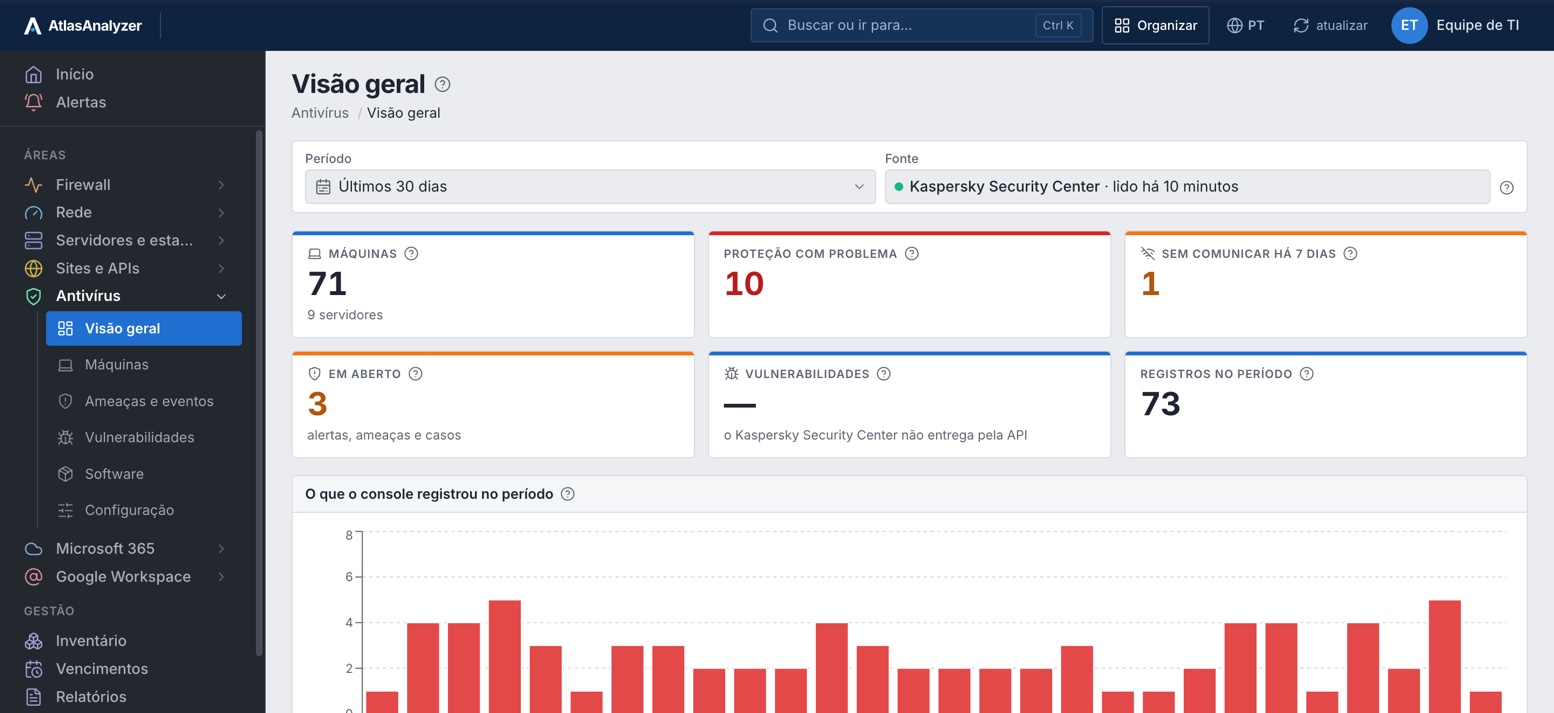




Poor or suspicious protection, machines out of contact and with active threats, on one screen.
Threats, alerts, MDR cases and events in the period, with search across everything.
Sophos, Capture Client, Bitdefender and Kaspersky in the same format.
Antivirus in the same report as the firewall and the environment, as PDF.
Machines
How many have good, suspicious or poor protection, who has been silent for days and who has an active threat, by OS and console group.
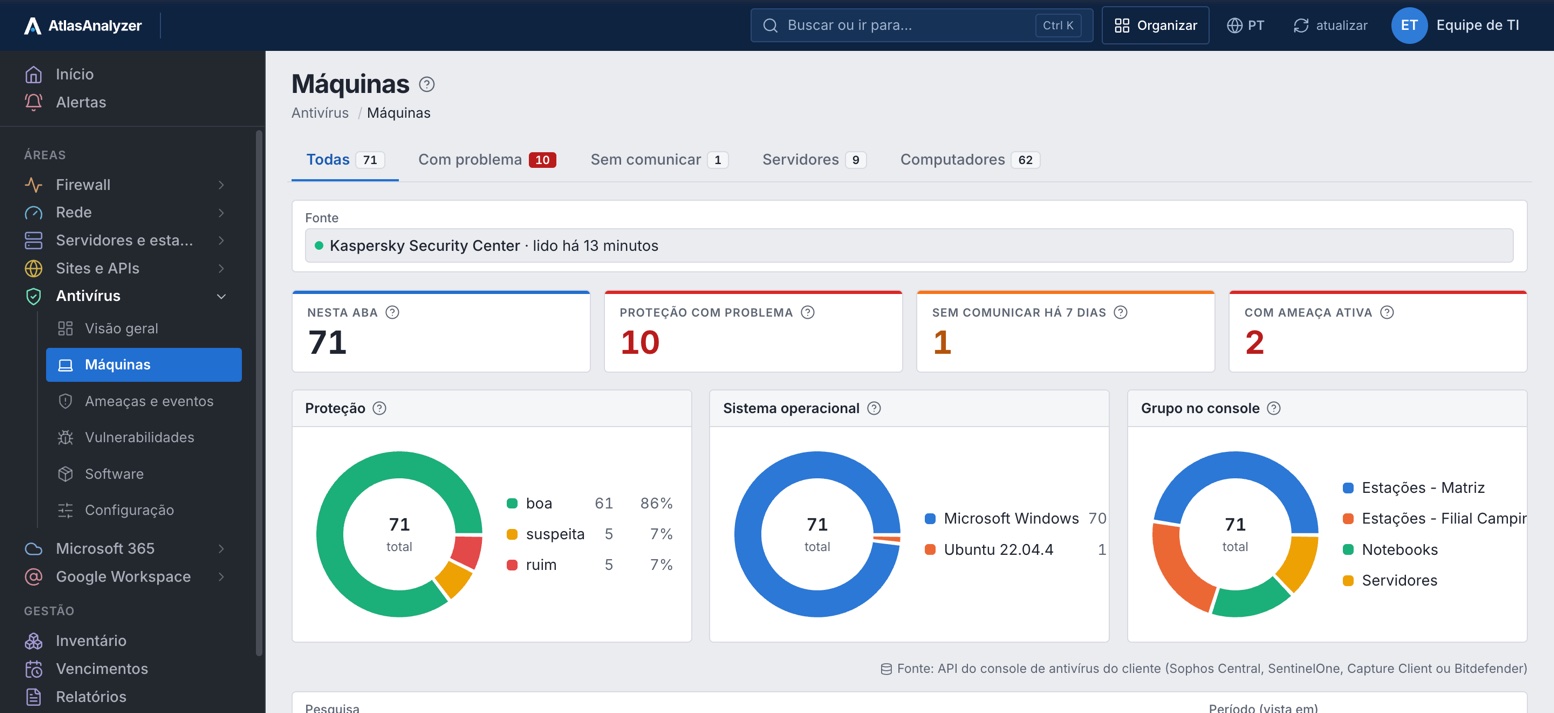
With issues
Only the machines with suspicious or poor protection, with group, IP and when the console last saw them.
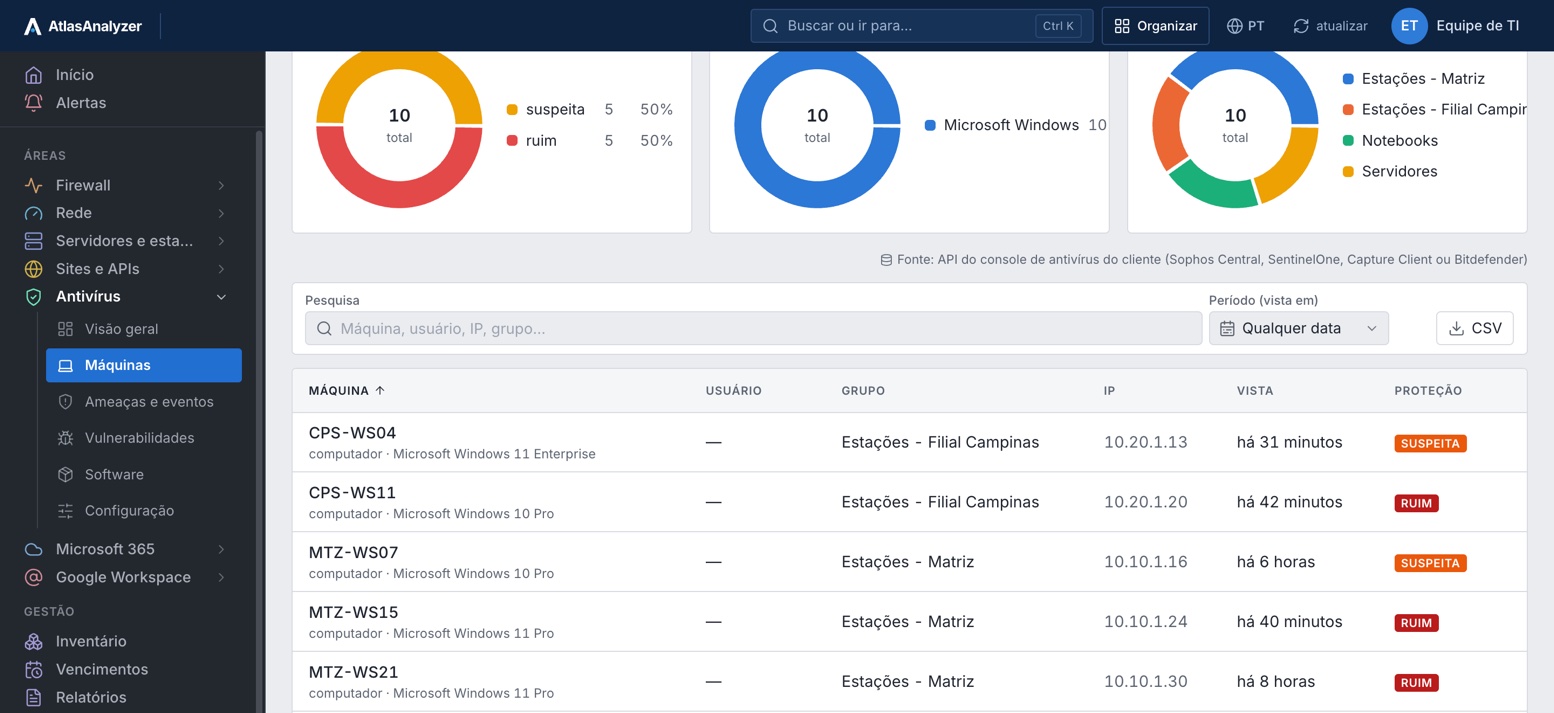
Threats and events
Records per day, what is still open and the severity the vendor assigned, kept for the plan's retention.
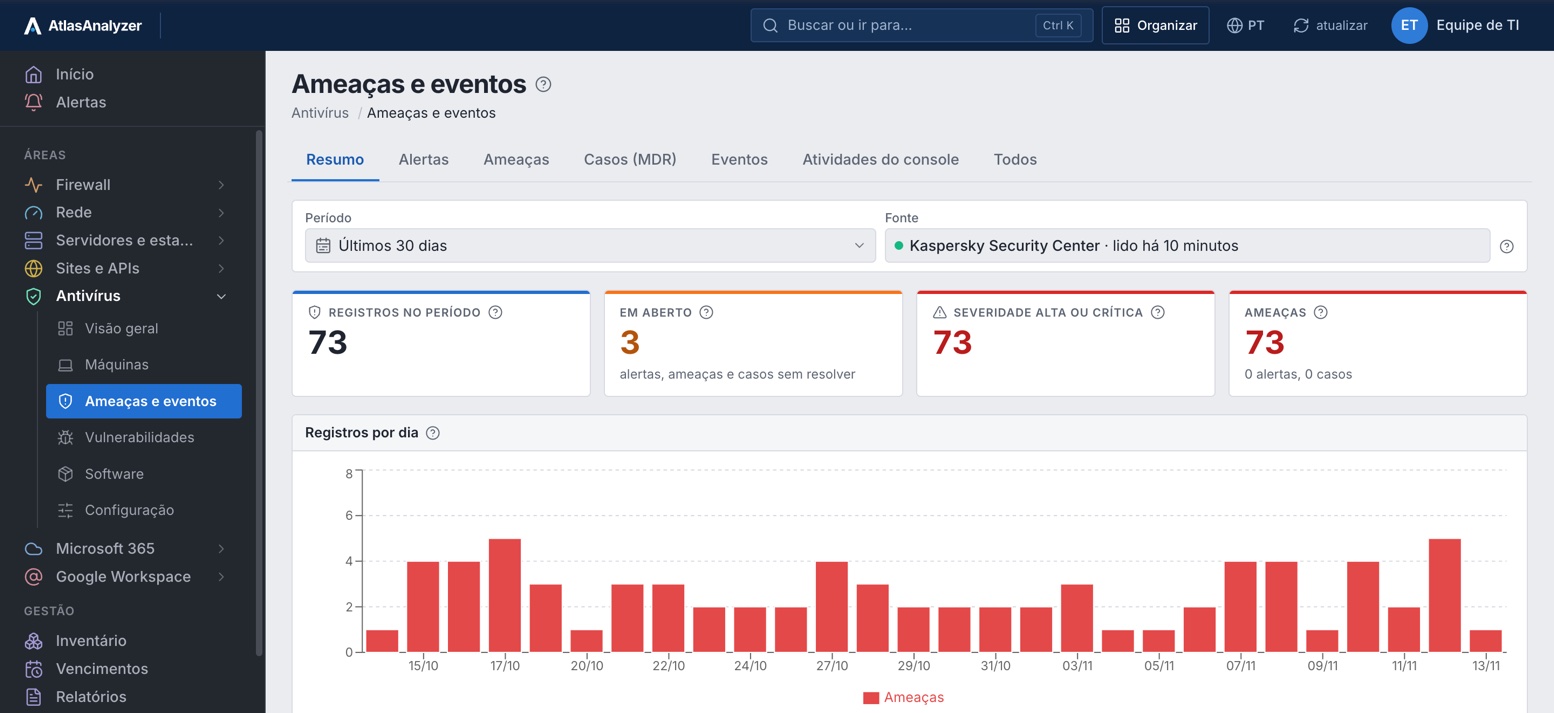
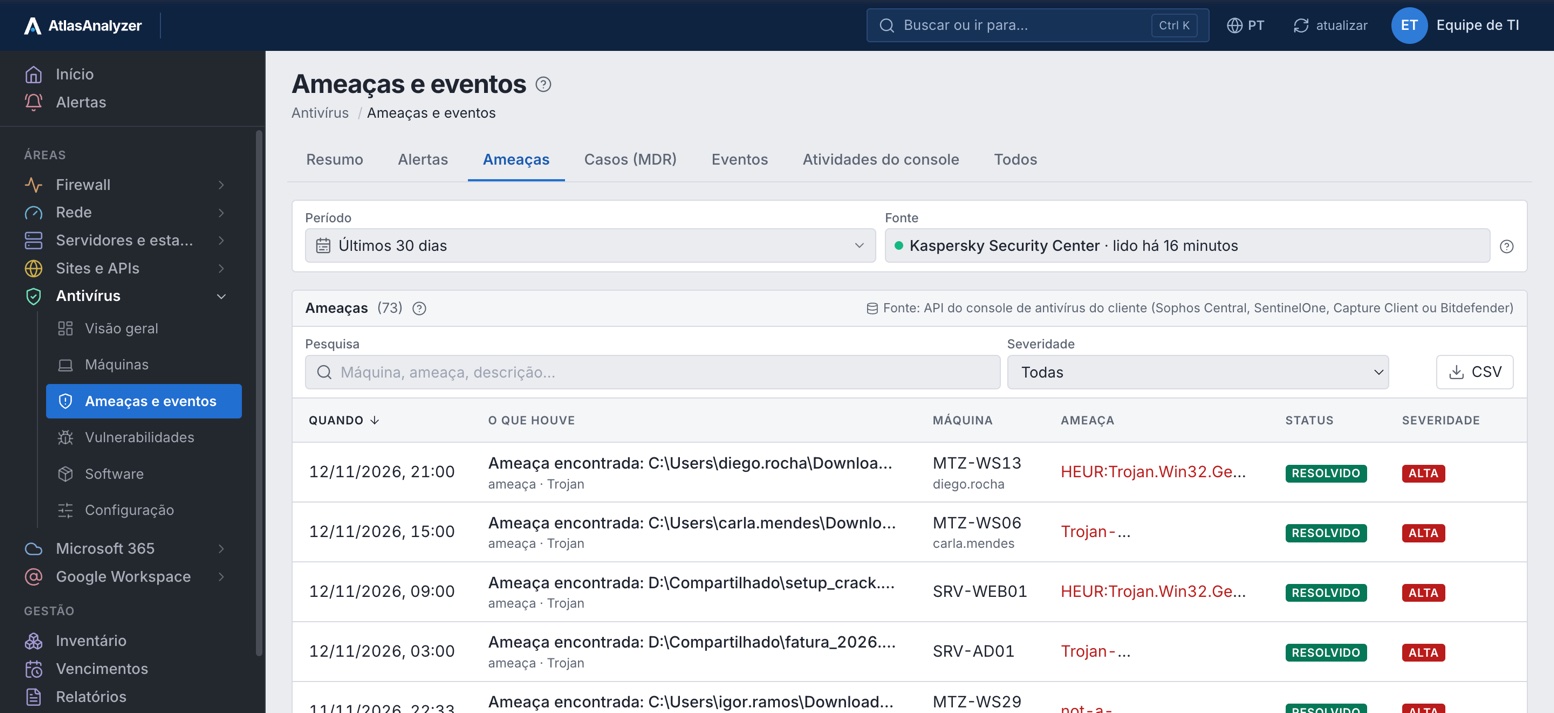
Threats
When, where it was found, the vendor's name for it, whether it was resolved and its severity.
Machine details
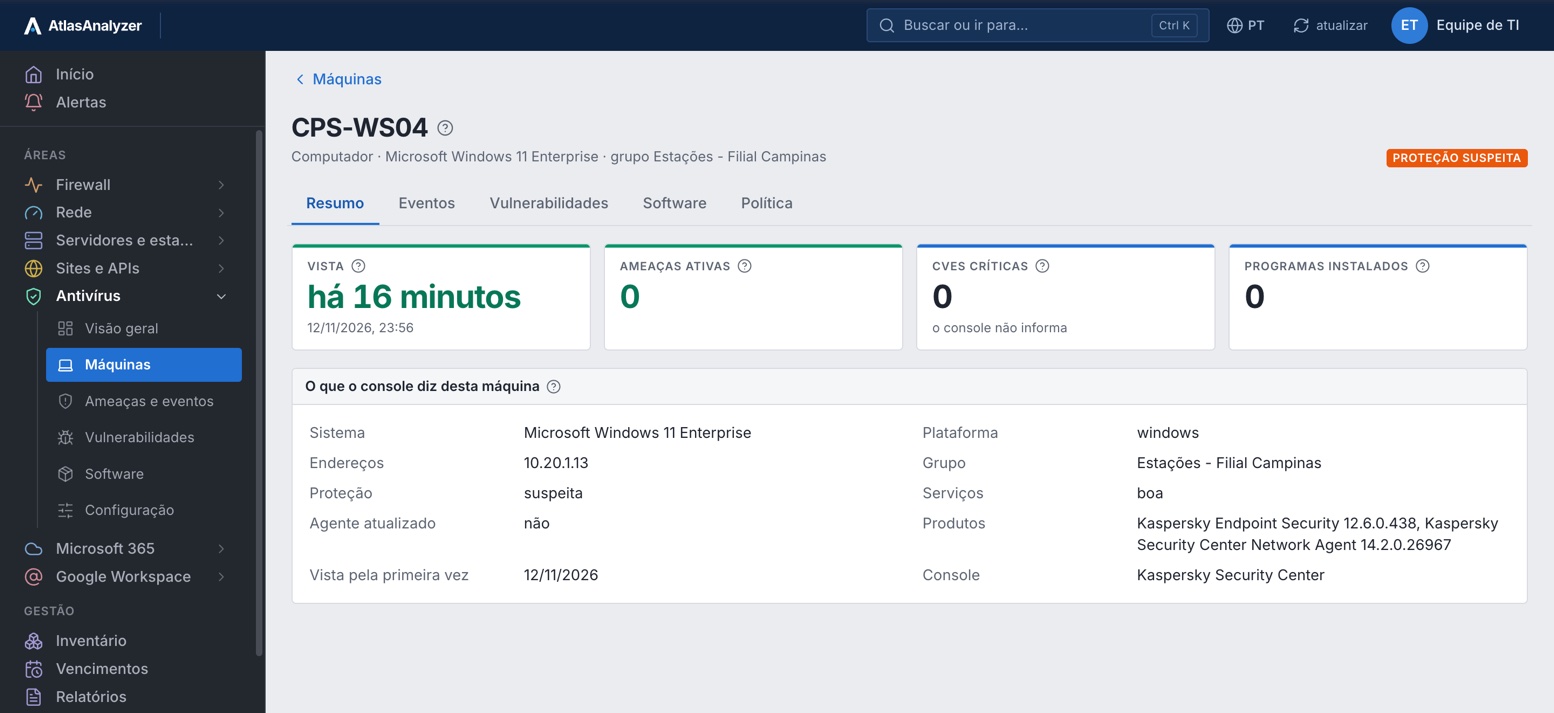
OS, addresses, group, protection, whether the agent is up to date and the installed products, with its events.
See Antivirus with your own environment's data
Everything AtlasAnalyzer pulls from your antivirus console's API, in 19 features.
Machines protected, with issues and out of contact, with each one's version and last check-in.
Real-time protection, definition age and the last full scan of each machine, when the console reports it.
Who has an outdated agent or definitions and who is outside the default policy.
Machines split by type, with each one's OS, IPs and group.
The events, vulnerabilities, software and policy of each machine.
What the console recorded: alerts, threats found and what was left untreated.
Cases from Sophos's managed service, with the details the console provides.
Every event the console recorded in the period, with search and the details of each.
What changed in the antivirus console and who changed it.
The CVEs the console found in installed applications, by severity, application and machine.
The programs installed on each machine, on how many and in which versions.
The applied policies, including firewall and device control, and the machines outside the default.
The exclusions and block lists configured in the console, ready to review.
Sophos's account health check, with what it flags on each item.
Through the API, with the customer's read-only credential; the Data Lake (XDR and MDR) with an optional second credential.
Through the console API, with the SentinelOne engine: machines, protection, versions and threats.
Through the API, with a read-only key, including a partner (MSP) key with each customer's company.
Through the KSC Open API, with a read-only account, including each MSP customer's virtual server.
No action in the console: it creates no tasks, moves no machines and changes no policies.
Through the console API, with a read-only credential: nothing is installed on the machines.
In the antivirus console, with step-by-step guidance on screen.
Under Settings › Integrations; the credential is stored encrypted.
Machines, protection and events, in the same format for every vendor.
The screens, CSV lists and the PDF report.
Whatever the console does not provide through the API shows as not collected, never as zero.
Machines, protection health, versions and groups
Events, alerts and MDR and XDR cases
Policies, exclusions, blocks, account health and software via the Data Lake
Machines, protection and versions, with the SentinelOne engine
Threats, detection alerts and console activity
Vulnerabilities (CVEs) and installed software
Machines, OS, IPs, protection and agent
Quarantined threats
Partner (MSP) key with each customer's company
Machines, real-time protection, definitions, last scan, versions and group
Threats found and left untreated
Each MSP customer's virtual server
No. Everything comes from the API of the antivirus console you already use.
No. It only reads: it creates no tasks, moves no machines and changes no policies.
Yes. Bitdefender's partner key and Kaspersky's virtual server keep each customer separate.
No. Each console provides part of the data through its API; the table above shows what comes from each.
In AtlasAnalyzer Analytics.
In a 30-minute demo, our team shows you AtlasAnalyzer with sample data from the sources you use.
