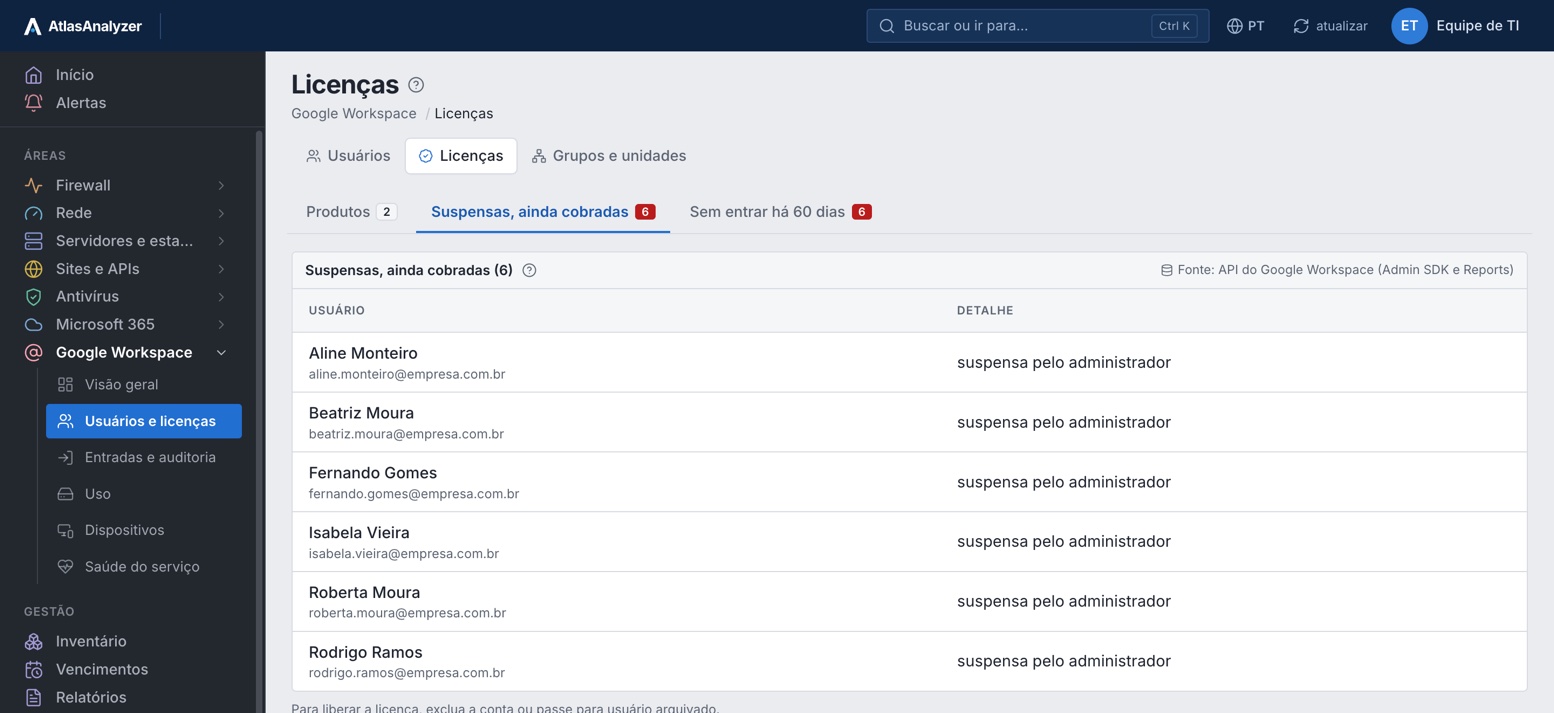
Suspended accounts still billed
Suspended accounts still holding a license and those idle for 60 days.
Products Google Workspace
Suspended accounts still billed, who signed in and how, storage near the limit and the company's phones and Chromebooks.
30-minute demo · No per-device pricing
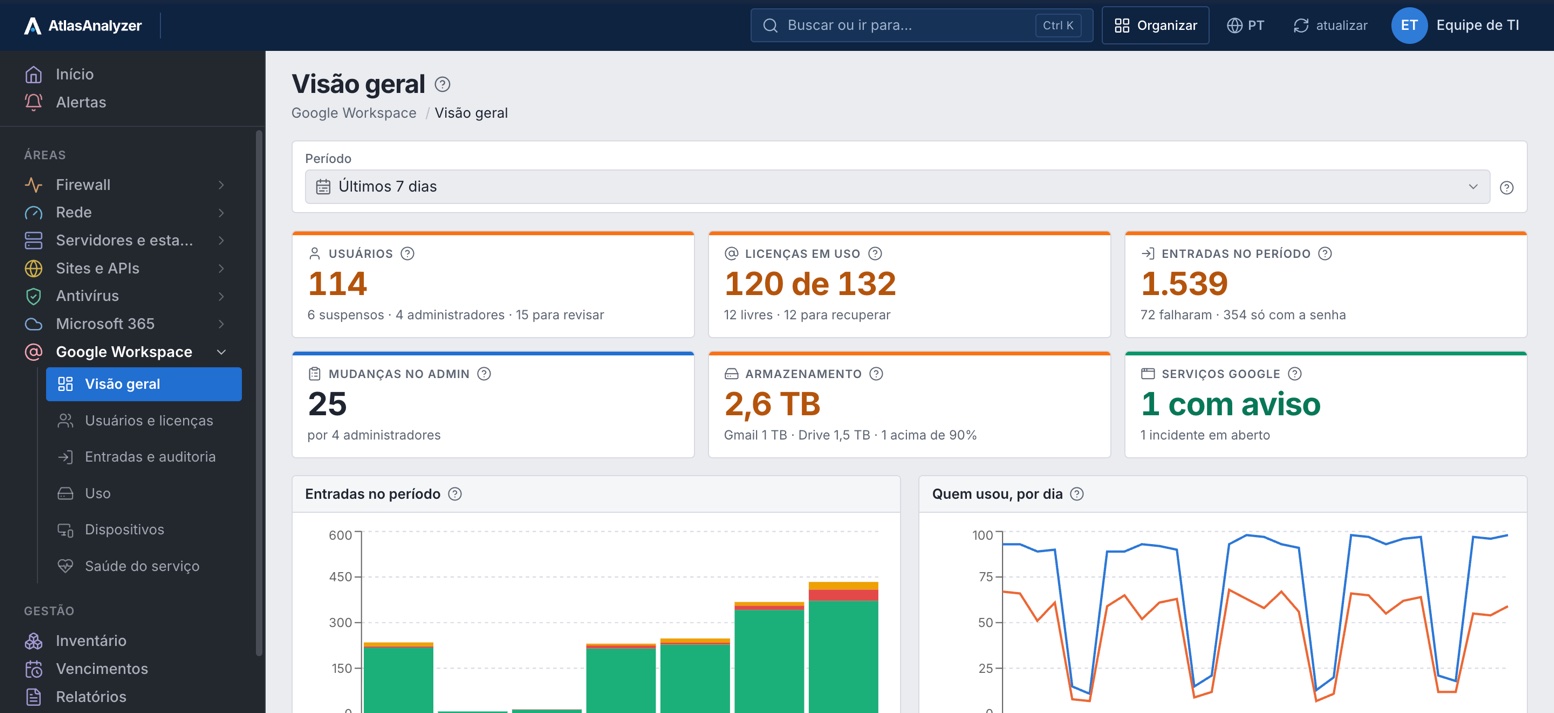
Suspended accounts still holding a license and those idle for 60 days.
Password only or 2-step, failures and countries, by person.
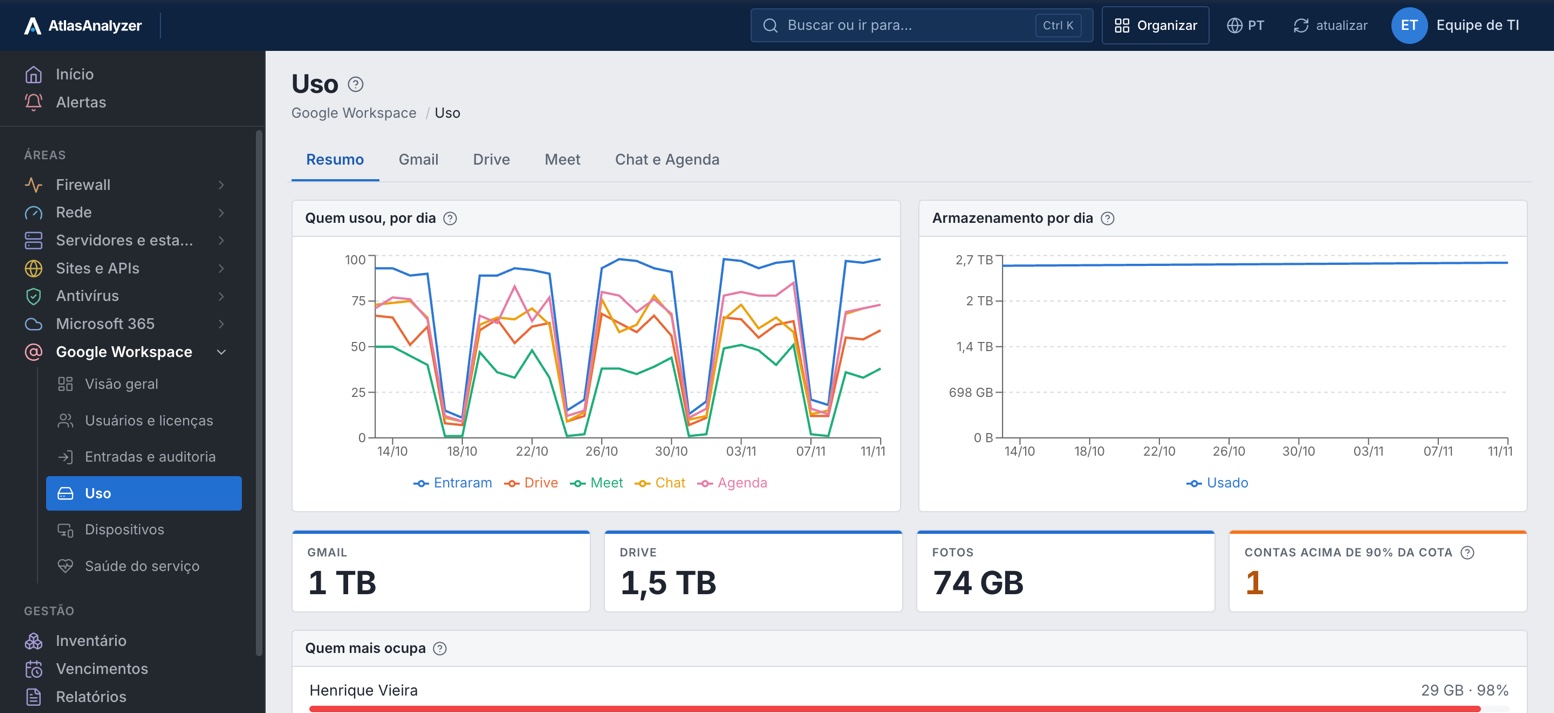
Gmail, Drive and Photos, the top users and who is above 90% of quota.
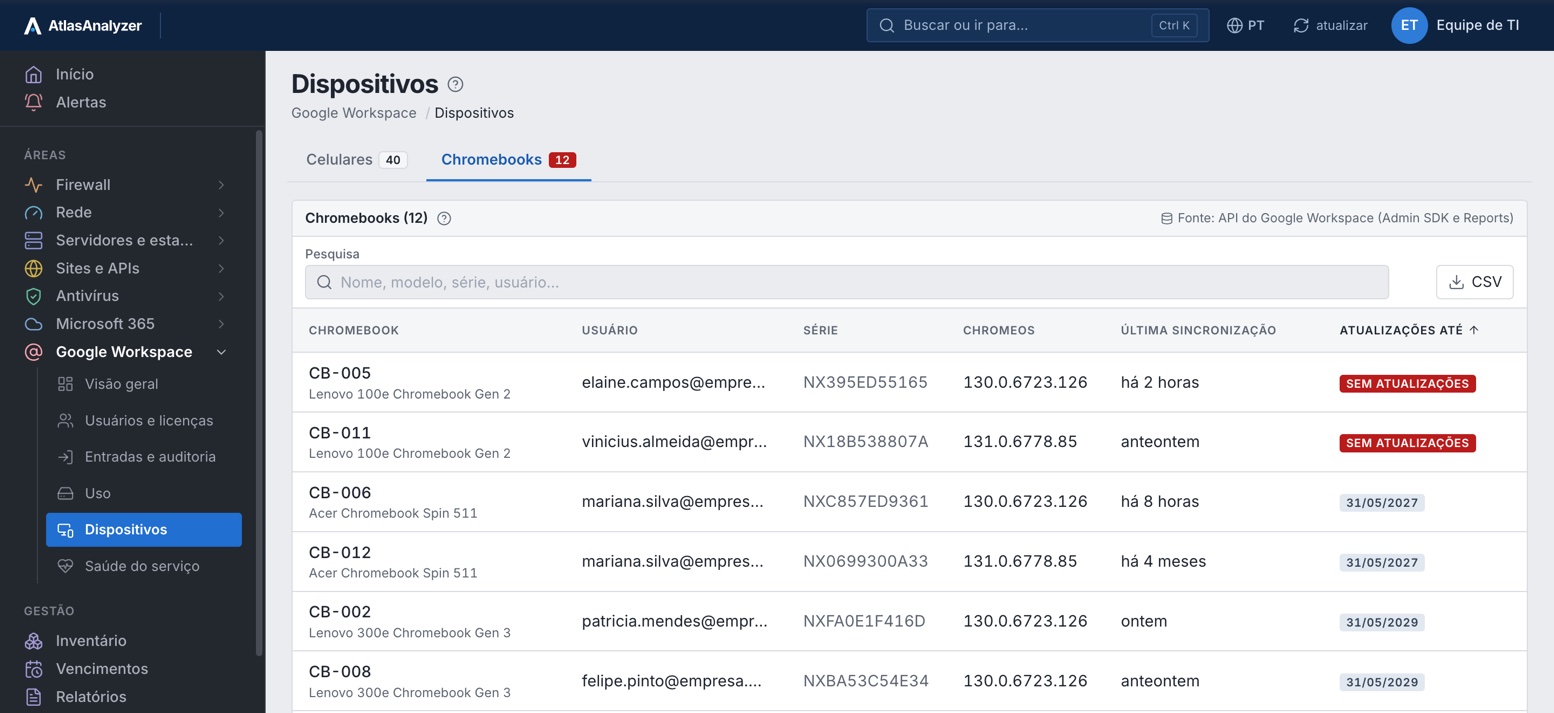
Until when each Chromebook gets updates, and those that already stopped.
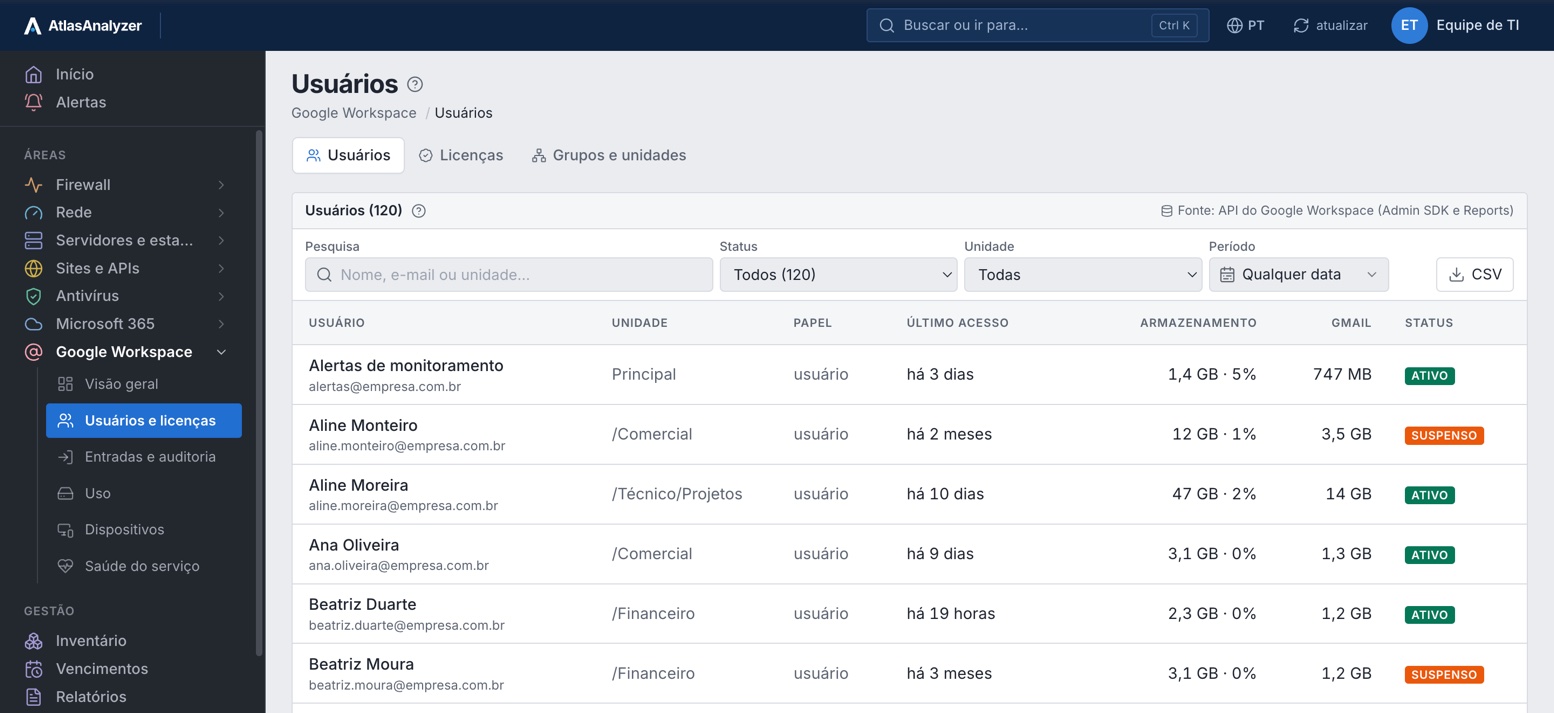
Users
Each account's unit, role, last access, storage and Gmail, with ready-made filters for review.
Licenses
Google bills suspended accounts: the list shows each one and what to do to free the license.
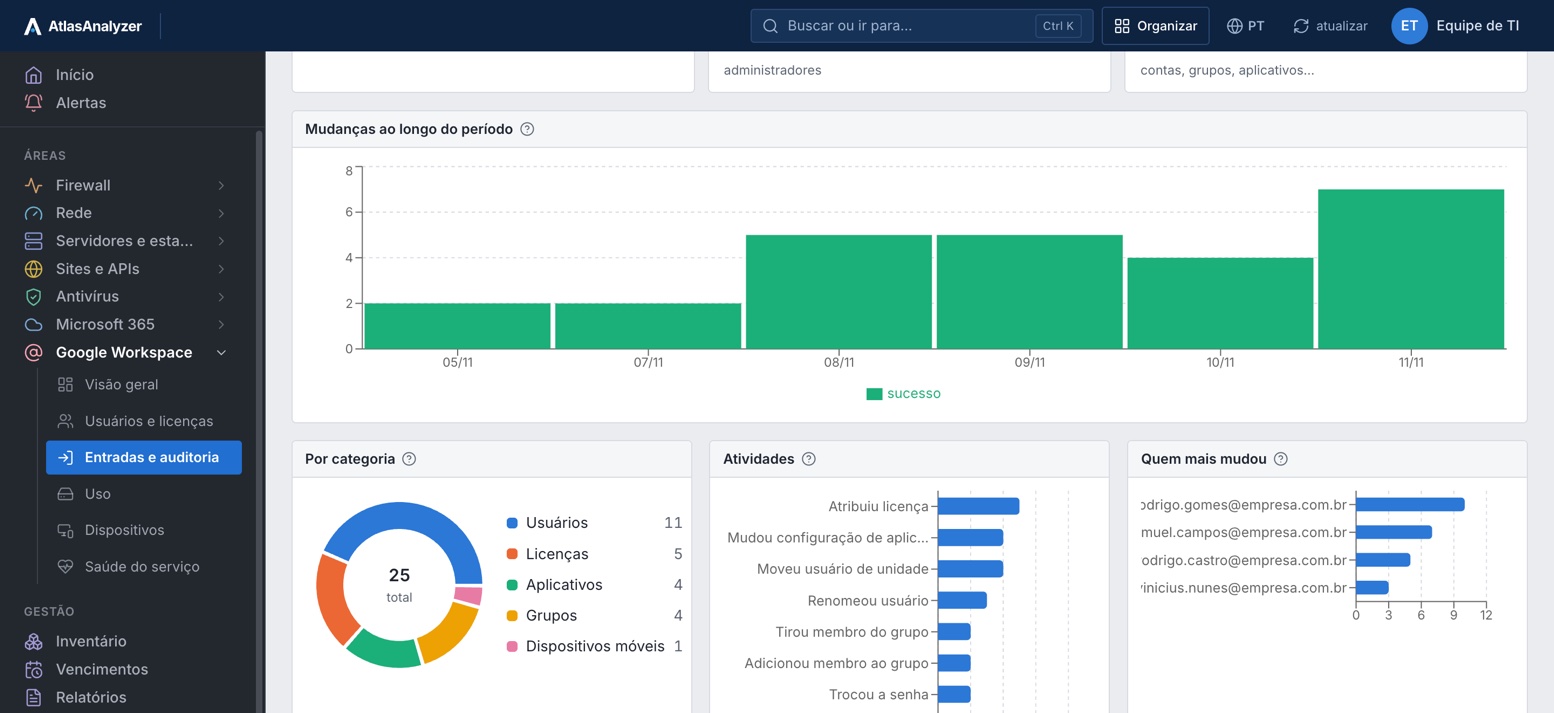
Audit
The period's changes by category and activity, and the admins who changed the most.
Usage
Sign-ins, Drive, Meet, Chat and Calendar per day, Gmail, Drive and Photos storage, and the top users.
Devices
Each Chromebook with its user, serial, ChromeOS version and update end date; phones with OS and encryption.
See Google Workspace with your own environment's data
Everything AtlasAnalyzer reads from Google Workspace through the Google Admin API, read-only, in 17 features.
Every account with its organizational unit, role, last access, storage and status.
The Google Workspace products and how many licenses are in use, from the account report.
Suspended accounts still being billed and idle accounts, ready for review.
Groups with their member counts, organizational units and the account's domains.
Who signed in, from where and how (password only or 2-step), and the failed sign-ins, with the reason.
What administrators changed in accounts, groups, licenses, roles and apps, and who changed it.
Files shared outside the company, opened by link or published on the web, by whom and with whom.
Files deleted, restored, downloaded, printed, moved and renamed, by person.
Sign-ins and audit kept for the plan's retention, from 30 days to 1 year.
Sign-ins, email, Drive and Meet day by day, over the last 30 days.
How much Gmail, Drive and Photos take up, quota usage and the top users.
The phones in Google's device management, with OS and user.
The account's Chromebooks and until when each one receives updates.
How each product is doing right now and incidents from the last 30 days, from Google's public status dashboard.
Licenses, users, suspended accounts, storage, mobile devices and Chromebooks, in PDF or Excel.
A service account with domain-wide delegation and read-only scopes only; no write methods.
Whatever Google refuses, due to scope or edition, shows as not collected, with what to do.
Through the Google Admin API, with a service account and read-only scopes.
In Google Cloud, with domain-wide delegation and the read scopes listed on screen.
Under Settings › Integrations; the key is stored encrypted.
Whatever Google refuses, by scope or edition, shows as not collected.
The screens, CSV lists and the Google Workspace report as PDF or Excel.
Only .readonly scopes: no email, file or chat is opened.
The account, domains, users, groups and organizational units
admin.directory.*.readonly
Phones in Google's management and Chromebooks
directory.device.mobile.readonly, directory.device.chromeos.readonly
Storage, emails, daily usage and license totals, with Google's 2–4 day delay
reports.usage.readonly
Who signed in and how, and what changed in Google Admin (optional)
reports.audit.readonly
Products and incidents from the last 30 days
Google's public status dashboard, no credential
No. The service account only gets .readonly scopes.
No. It reads Google's usage report (counts and sizes), never the content.
Google has no read-only scope for it; license totals come from the account report.
Google publishes usage 2 to 4 days late; the most recent day with data is shown.
In AtlasAnalyzer Analytics.
In a 30-minute demo, our team shows you AtlasAnalyzer with sample data from the sources you use.
