Multi-vendor
Every firewall in the same report
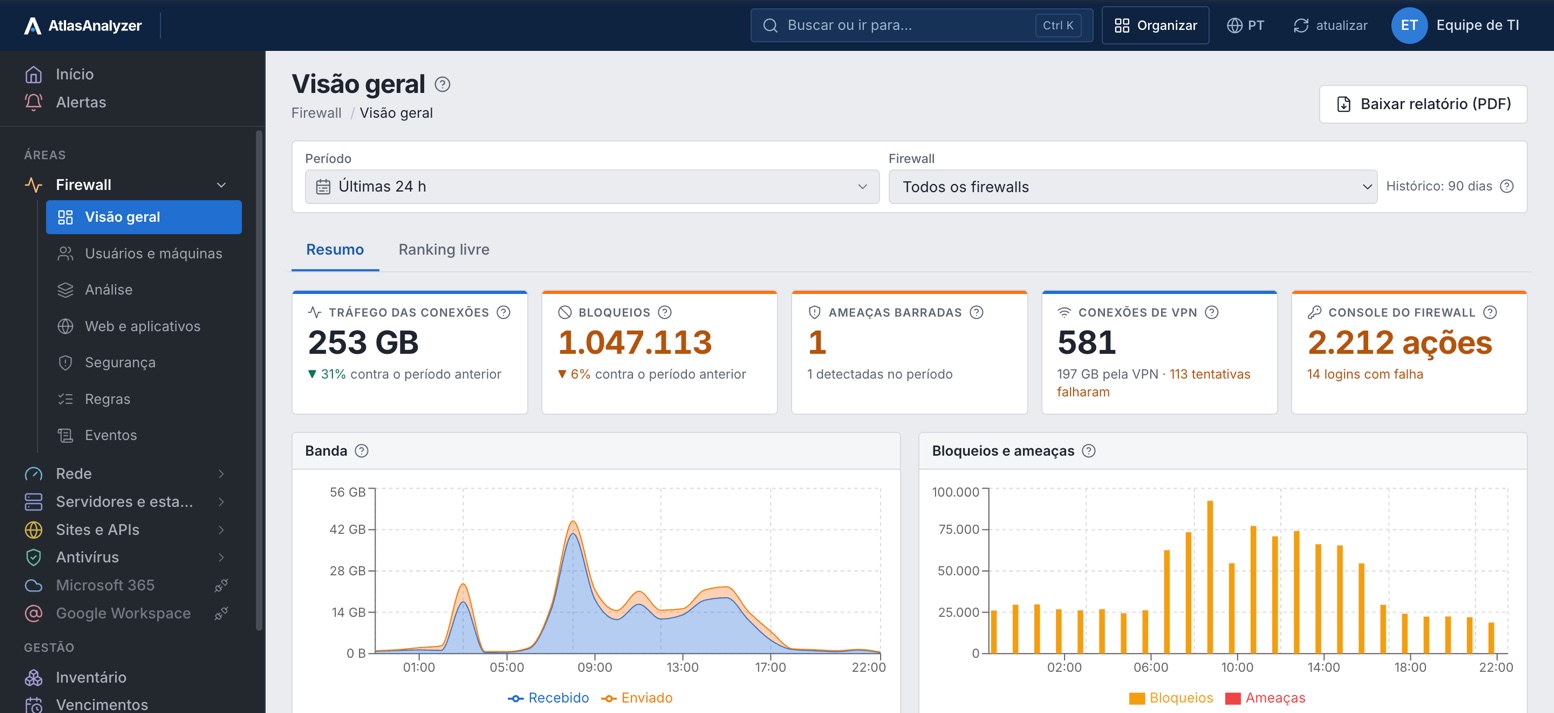
Fortinet, Sophos, SonicWall, pfSense and MikroTik side by side: bandwidth by user, blocks and VPN, without one analyzer per vendor.
See the firewall reportsYour Fortinet, Sophos, SonicWall, pfSense and MikroTik firewalls, your network, your servers, Microsoft 365 and antivirus in the same console and the same report. No appliance and no per-device pricing.
30-minute demo · Nothing to install on the firewall
Integrates with what you already use










Bandwidth usage by user and application, blocks and VPN tunnel status, with no analyzer per vendor and no appliance.
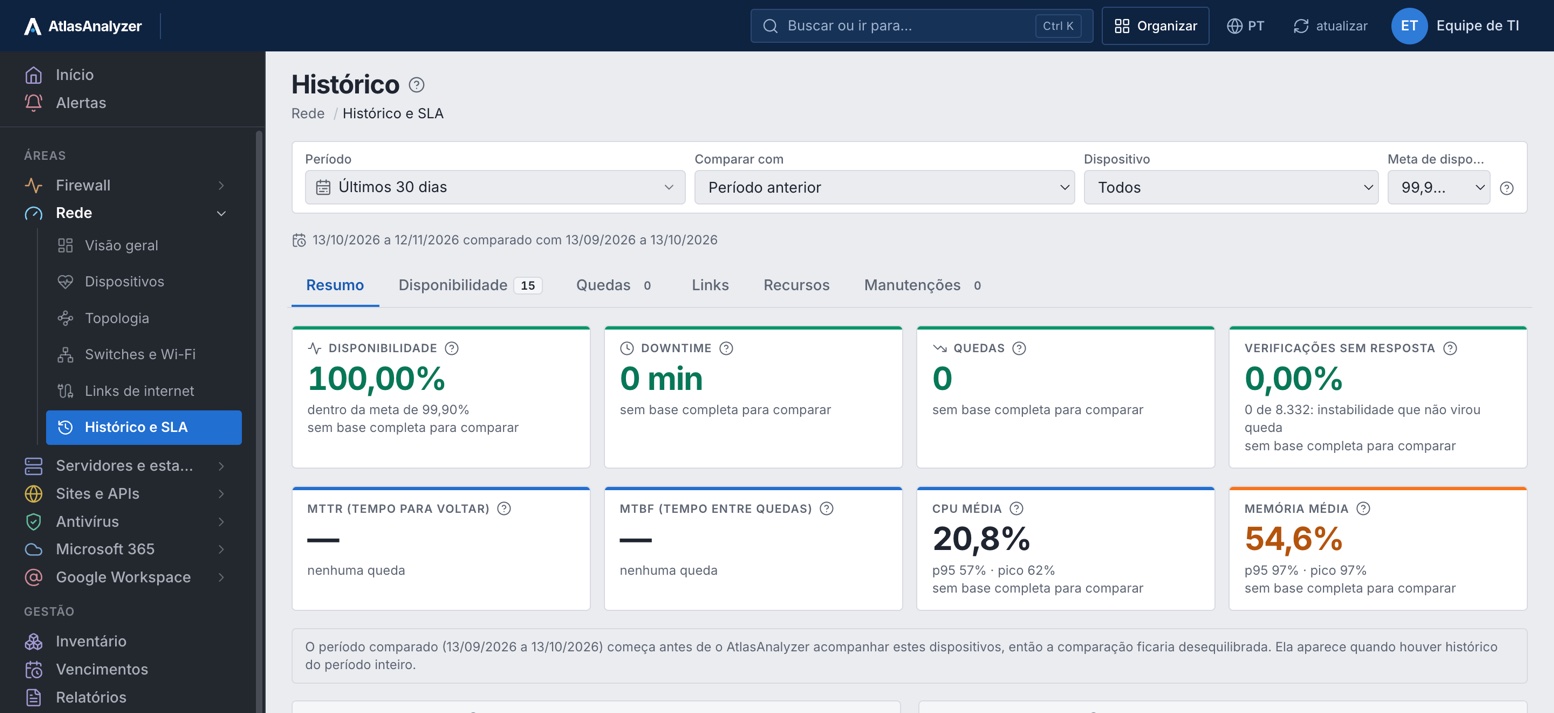
Links, switches, Wi-Fi and UPS units with alerts before the customer calls, the network map, the monthly SLA and the saturation forecast.
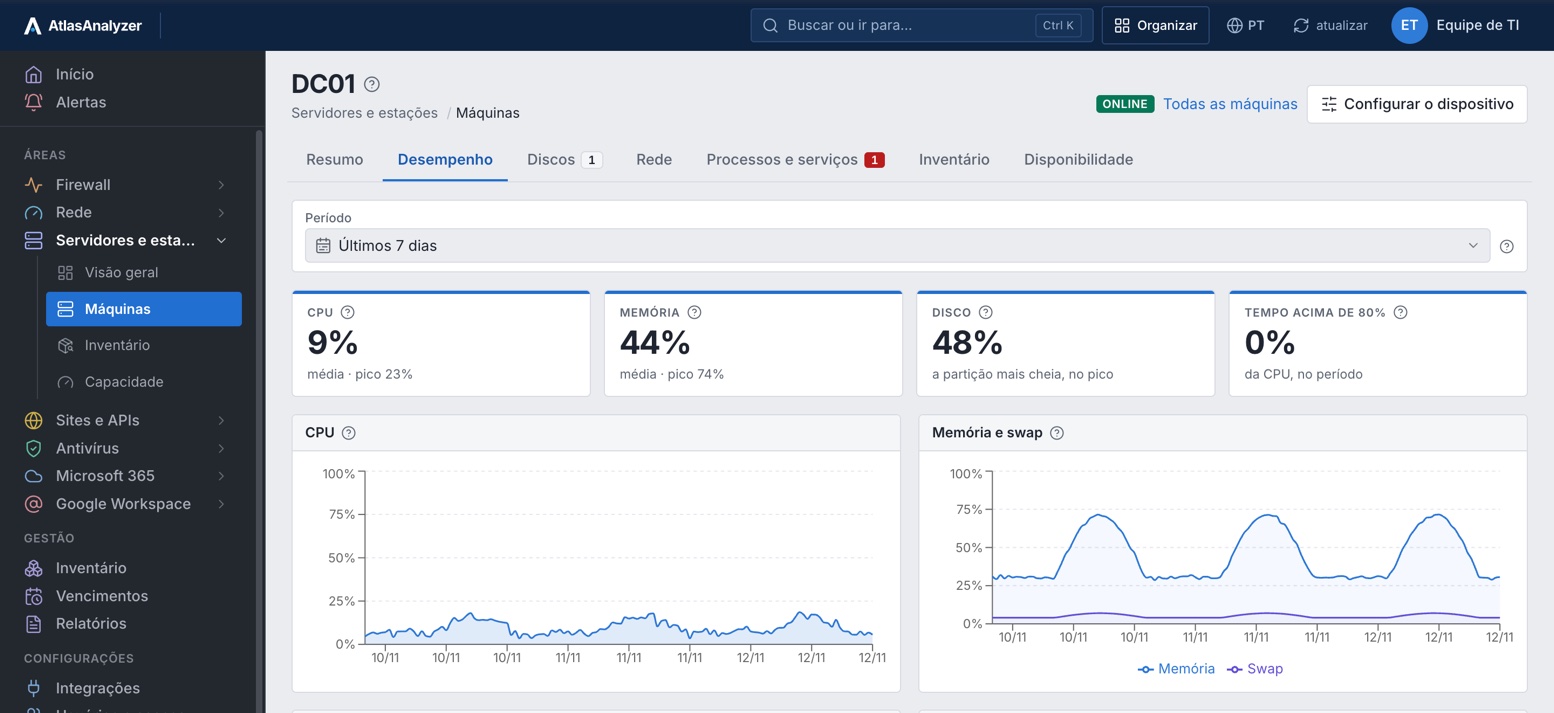
Availability, stopped services and filling disks with alerts, plus the sizing of every machine, through the AtlasAnalyzer agent.
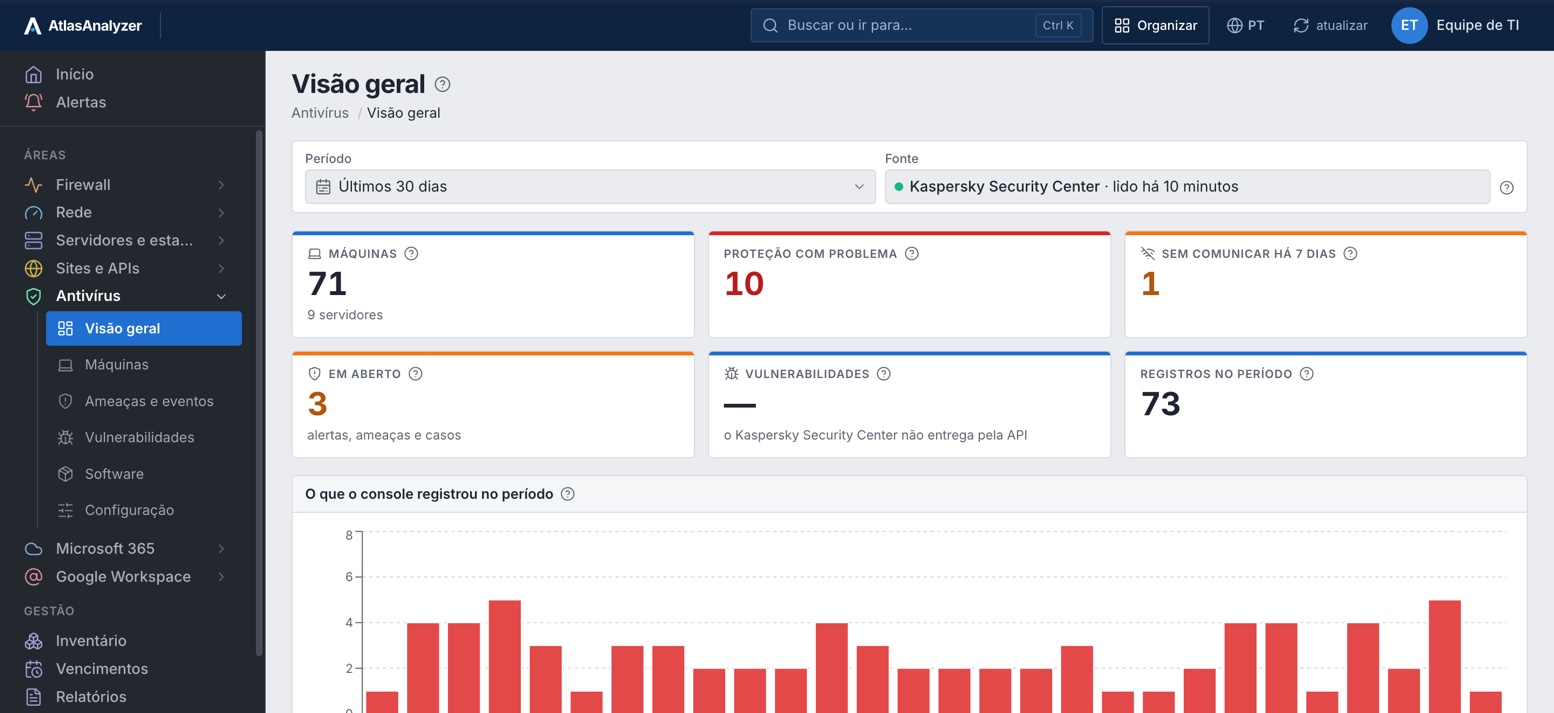
Machines not reporting, outdated or with threats show up in the same report as the firewall, without opening another console.
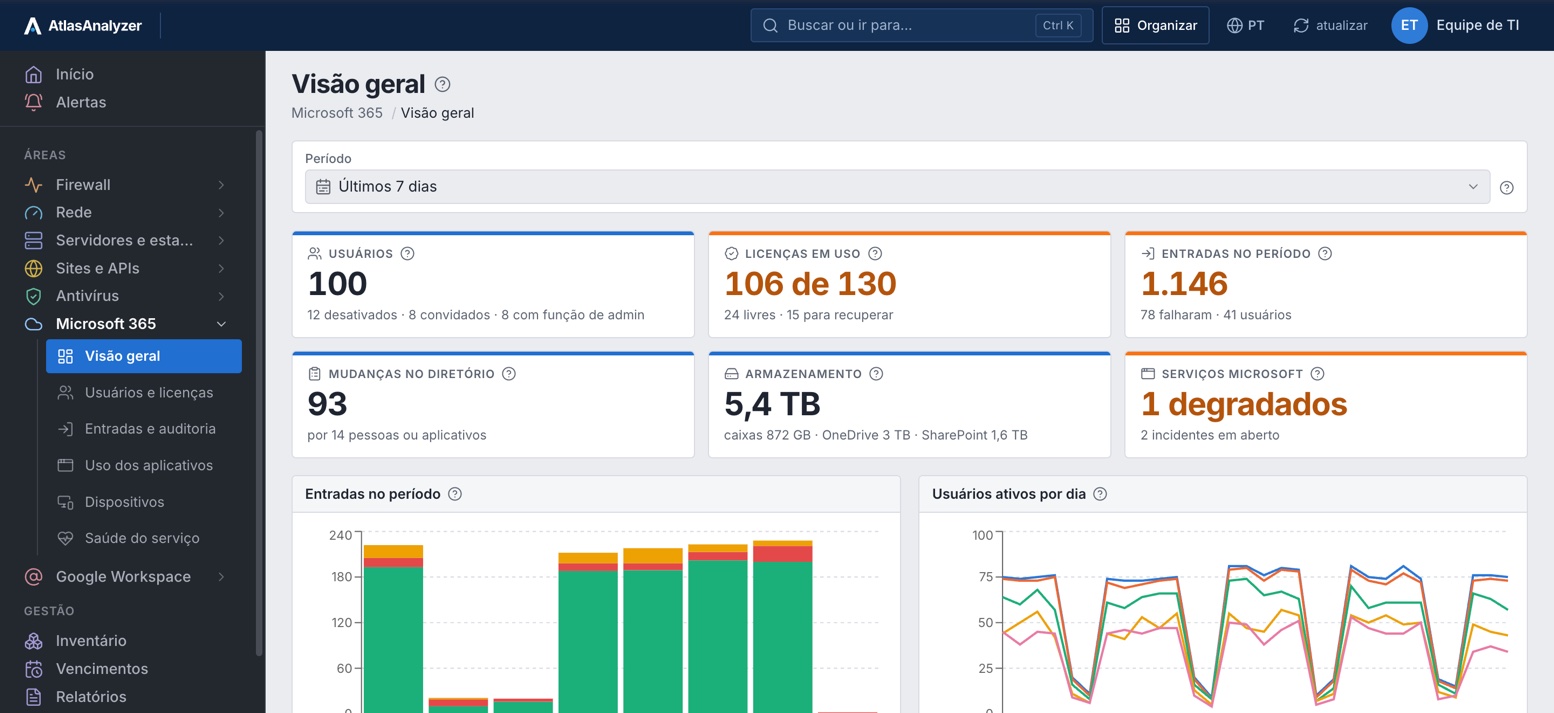
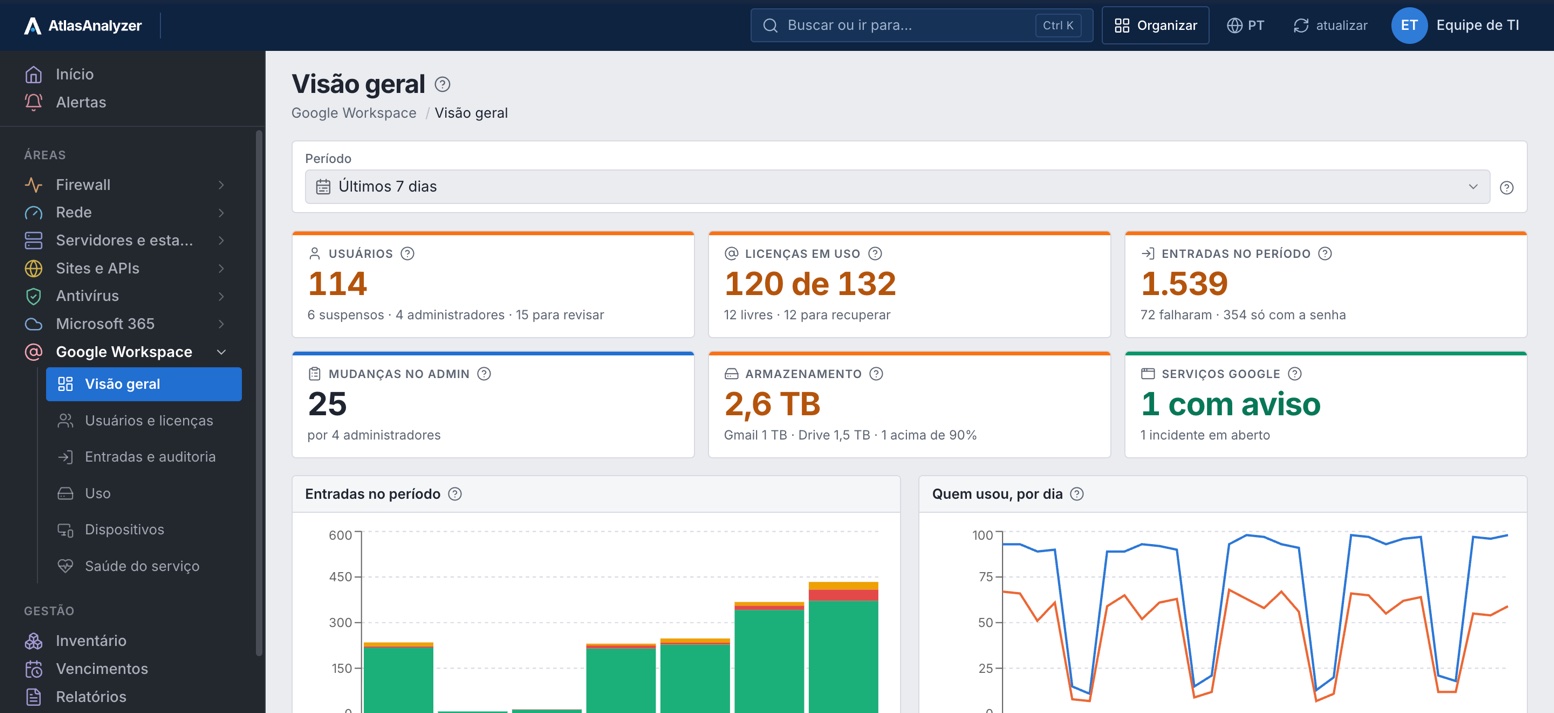
Reclaim paid licenses going unused and see who signed in, from where, what each person uses and which devices are non-compliant.
Suspended accounts still billed, who signed in and how, storage near the limit and the company's phones and Chromebooks.
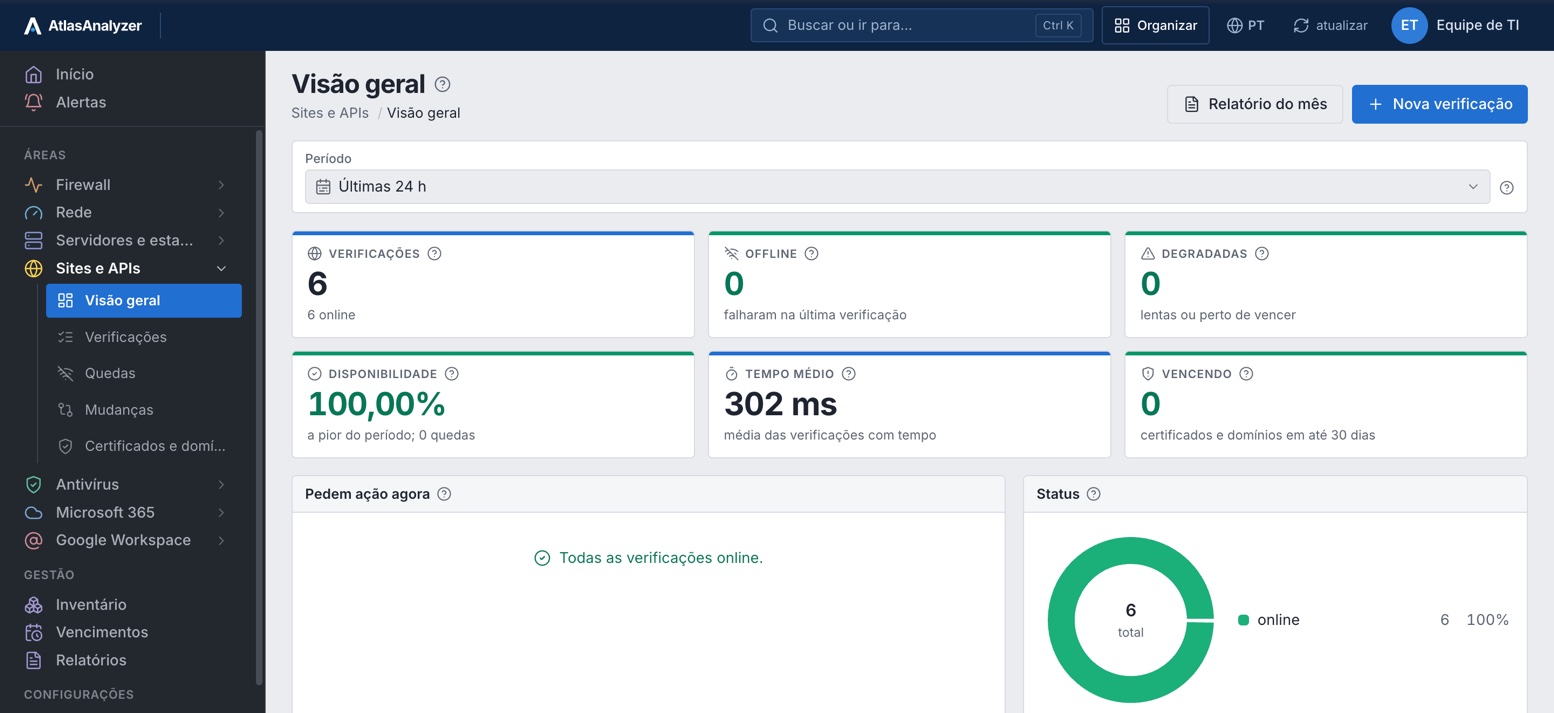
Know before your customer when the website, API, email or DNS stops, and when the certificate or domain is about to expire.
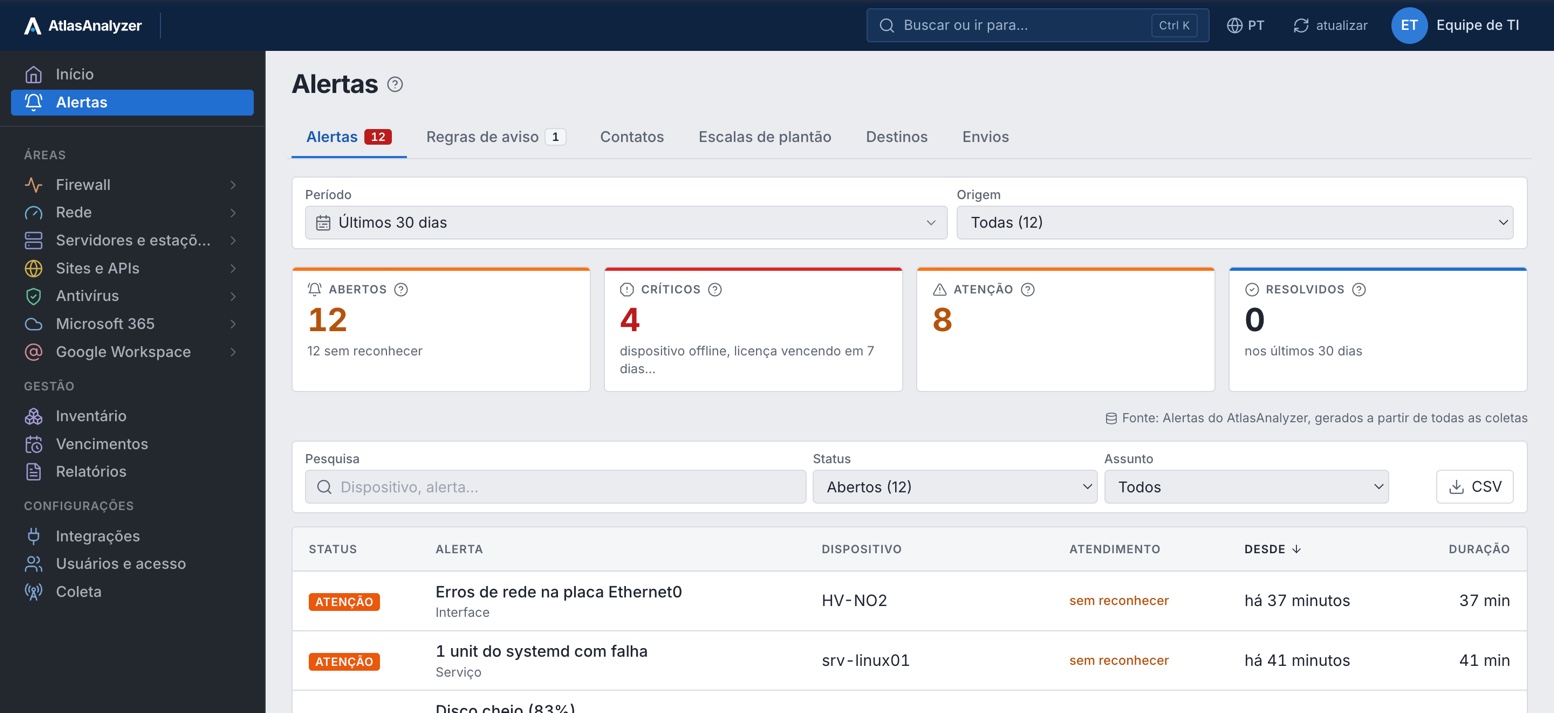
Every alert goes to whoever is on call, by WhatsApp, SMS, Teams or email; with no response, it escalates to the next person. Scheduled maintenance windows suspend alerts.
Everything the customer has, from every source, the licenses, certificates and domains about to expire, and reports delivered by email.
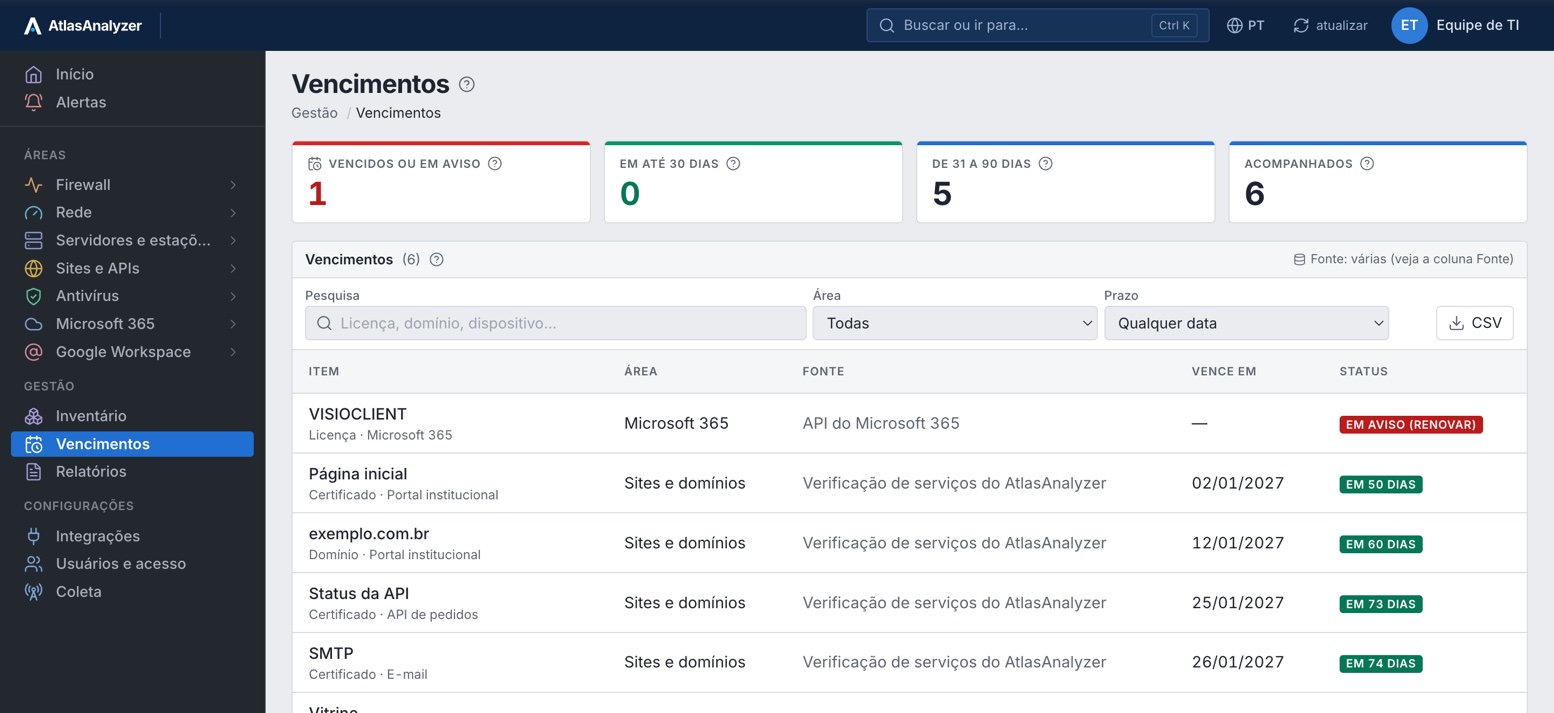
For MSPs and resellers serving many customers: AtlasAnalyzer with a resale margin, a Partner Portal and white label.
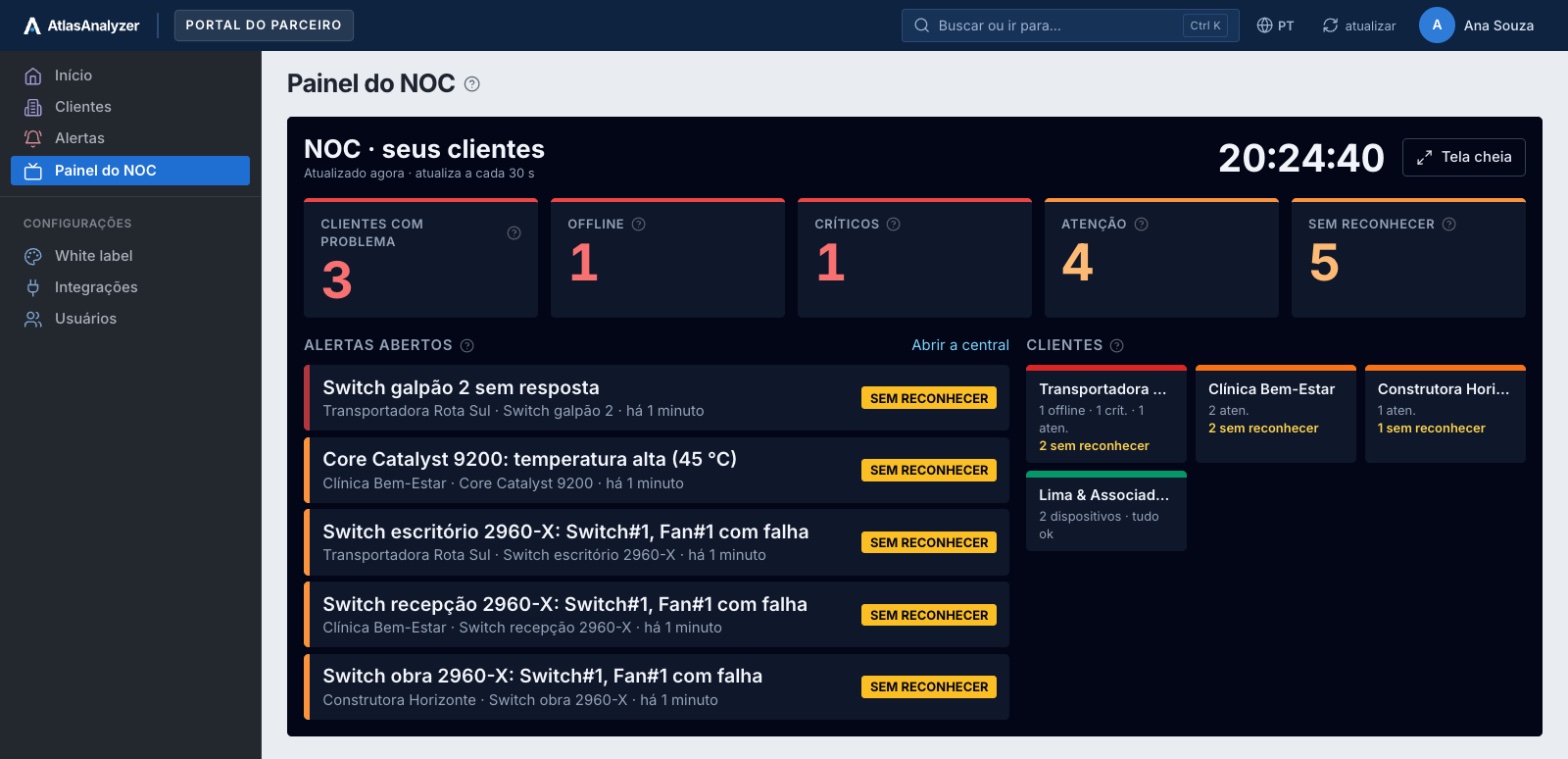
The customer's entire environment in one console, with the status of every device.
Fortinet, Sophos, SonicWall, pfSense and MikroTik side by side: bandwidth by user, blocks and VPN, without one analyzer per vendor.
See the firewall reportsIt sends syslog to AtlasAnalyzer, SNMP and APIs fill in the rest, and the report arrives ready by email.
See how to integrateFirewall, network, servers, antivirus, Microsoft 365, Google Workspace and sites, with the status of each on a single screen.
Explore the areasStart with Monitor and move up to Analytics whenever you want, without switching consoles.
See plans and pricingOverview
Offline, degraded, expiring and what needs attention, from every source, on one screen your team opens in the morning.
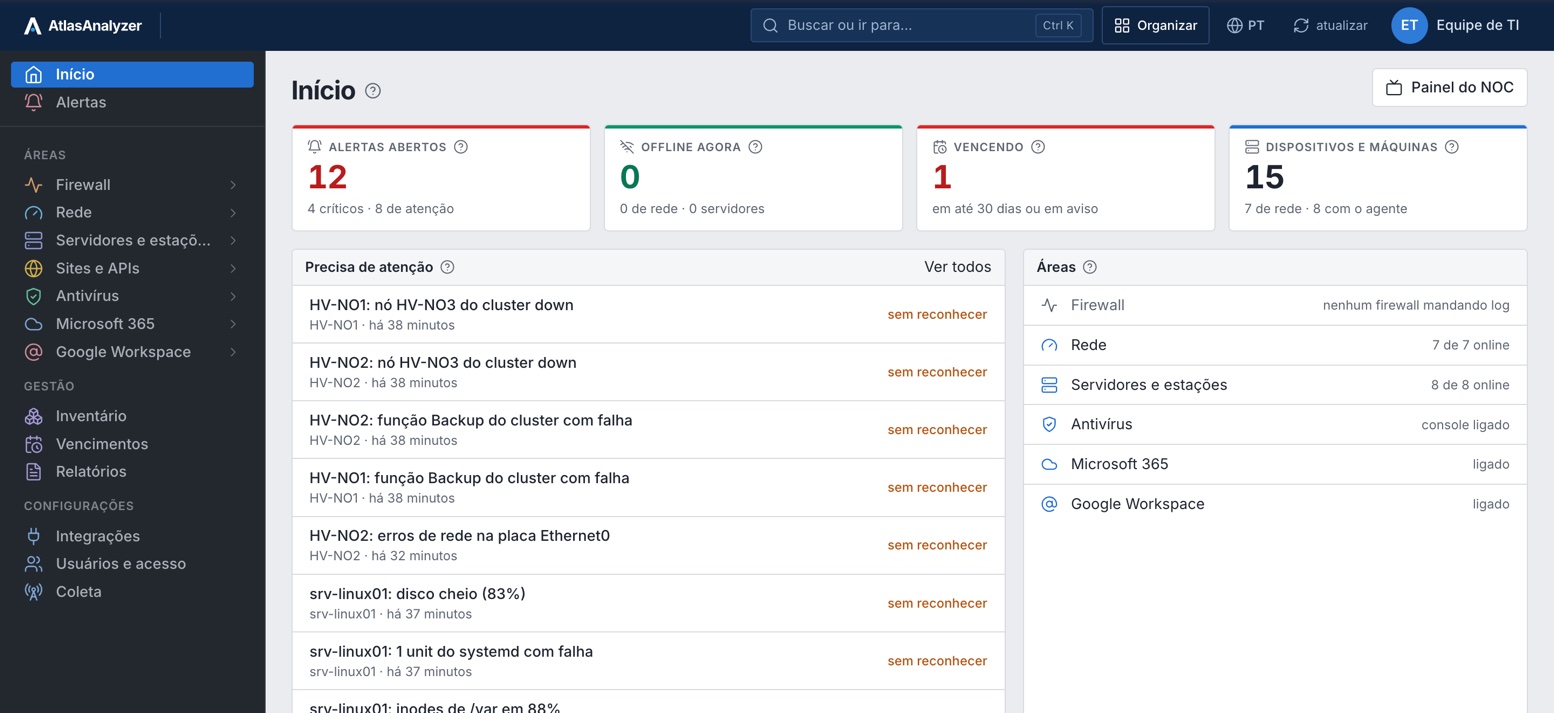
Expirations
Everything that expires, from every source, in a single list, with advance notice and the source of each item.
Antivirus
Protected machines, machines not reporting, versions and threats, through the API of the console you already use.
Analytics is Monitor plus the reports: start with monitoring and move up whenever you want, without changing consoles. No per-device pricing.
AtlasAnalyzer Monitor
To detect in real time what is offline or degraded: devices, links, servers, workstations and websites, with alerts wherever your team is.
Contact us
Monitor plans
AtlasAnalyzer Analytics
To see what happens in your firewall, Microsoft 365 and antivirus, across vendors, with the plan's history.
Contact us
Everything in AtlasAnalyzer Monitor
Analytics plans
Each vendor has its own tool, built for its own devices. AtlasAnalyzer Analytics brings together every brand you have, with Microsoft 365 and antivirus. Pick your vendor.
Built for Fortinet devices
In a separate product
Fortinet devices only; the rest in other products
Appliance, virtual machine or FortiAnalyzer Cloud
Depends on the appliance disk or the daily volume bought in FortiAnalyzer Cloud
Fortinet license
Built for Sophos Firewall
Sophos antivirus only; Microsoft 365 is left out of the report
Sophos devices only, in Sophos Central
Nothing: it runs in Sophos Central
7 days free; 30 days with the Xstream bundle; up to 1 year with a license per firewall
Free with the firewall subscription; longer history is paid separately, per firewall
Built for SonicWall firewalls (Gen 7 and Gen 8)
In a separate product
SonicWall devices only
NSM in the cloud or a virtual machine on site
7 to 365 days, depending on each firewall's license
Reporting license per firewall
No central log reporting from Netgate
Not in the report
Not included; needs another tool
A syslog server and a separate reporting tool
Whatever fits on the server you build
The cost and upkeep of a third-party tool
Receives syslog but does not report on the log
Not in the report
The Dude monitors via SNMP and ping, on a separate screen from the log
The Dude server plus another tool for reports
The log stays on The Dude server, without reports
Free; reports need another tool
 AtlasAnalyzer Analytics
Fortinet, Sophos, SonicWall, pfSense and MikroTik on the same screen
In the same report as the firewall
In the same console, via SNMP, ping, port and agent
Nothing: the firewall forwards its logs via syslog and we handle the processing
30, 90 or 365 days by plan, for all firewalls together
Per plan, no per-device pricing
General comparison based on each vendor's public documentation as of November 2026. FortiAnalyzer, Sophos, SonicWall, pfSense, MikroTik and The Dude are trademarks of their respective owners.
For MSPs
Many customers in one account, each with their own portal, plan and reports. Monitoring, firewall logs, antivirus and Microsoft 365 in a single product, instead of three or four.
Explore the partner programCustomer users with a role per area: no access, view or configure.
Your team opens the customer's dashboard as the customer sees it, to handle the ticket.
Your logo, colors and domain on the customer's dashboard, in emails and in reports.
Portuguese, English, Spanish or German, scheduled by email.
In a 30-minute demo, we look at your environment and which edition and plan fit your needs.
The firewall forwards its logs via syslog, the consoles integrate via API and the agent is installed on the machines you choose.
Alerts in your team's channel and reports in your inbox, in your language.
They are the two editions of AtlasAnalyzer, in the same console. Monitor tells you whether everything is working: devices, links, servers, workstations, websites and alerts. Analytics is everything in Monitor plus firewall, Microsoft 365, Google Workspace and antivirus reports, across vendors, in the Lite, Pro, Business and Enterprise plans.
For the firewall, just point its syslog to AtlasAnalyzer. Microsoft 365, Google Workspace and antivirus integrate via API with a dedicated credential. The agent is installed on the machines you choose, and the probe, on one of your machines, monitors the internal network.
Through a credential dedicated to AtlasAnalyzer, SNMPv3 and each vendor's API. It monitors the devices, websites and services you register, and every data point shows its source.
Per plan, per month, with no per-device pricing. AtlasAnalyzer Monitor is limited by devices; Analytics is limited by the plan's history and log volume.
Fortinet (FortiGate), Sophos, SonicWall, pfSense and MikroTik, through syslog. The full list of sources is under Integrations.
Yes. Each customer is kept separate, with its own portal, plan and reports, and MSPs get a discount per managed customer.
With white label, not day to day: the dashboard, the sign-in page on your domain, emails, PDF reports, SMS, Telegram and Teams carry your name and logo. The address that sends the emails (the sender shows your name and replies go to you), WhatsApp messages and the agent service on the machines keep our name.
Portuguese, English, Spanish and German, on screen, in notifications and in reports, in the recipient's language.
In a 30-minute demo, our team shows you AtlasAnalyzer with sample data from the sources you use.