Everything you have, in one list
Network, machines, antivirus and Microsoft 365 matched by name, with what's unprotected.
Products Management
Everything the customer has, from every source, the licenses, certificates and domains about to expire, and reports delivered by email.
30-minute demo · No per-device pricing
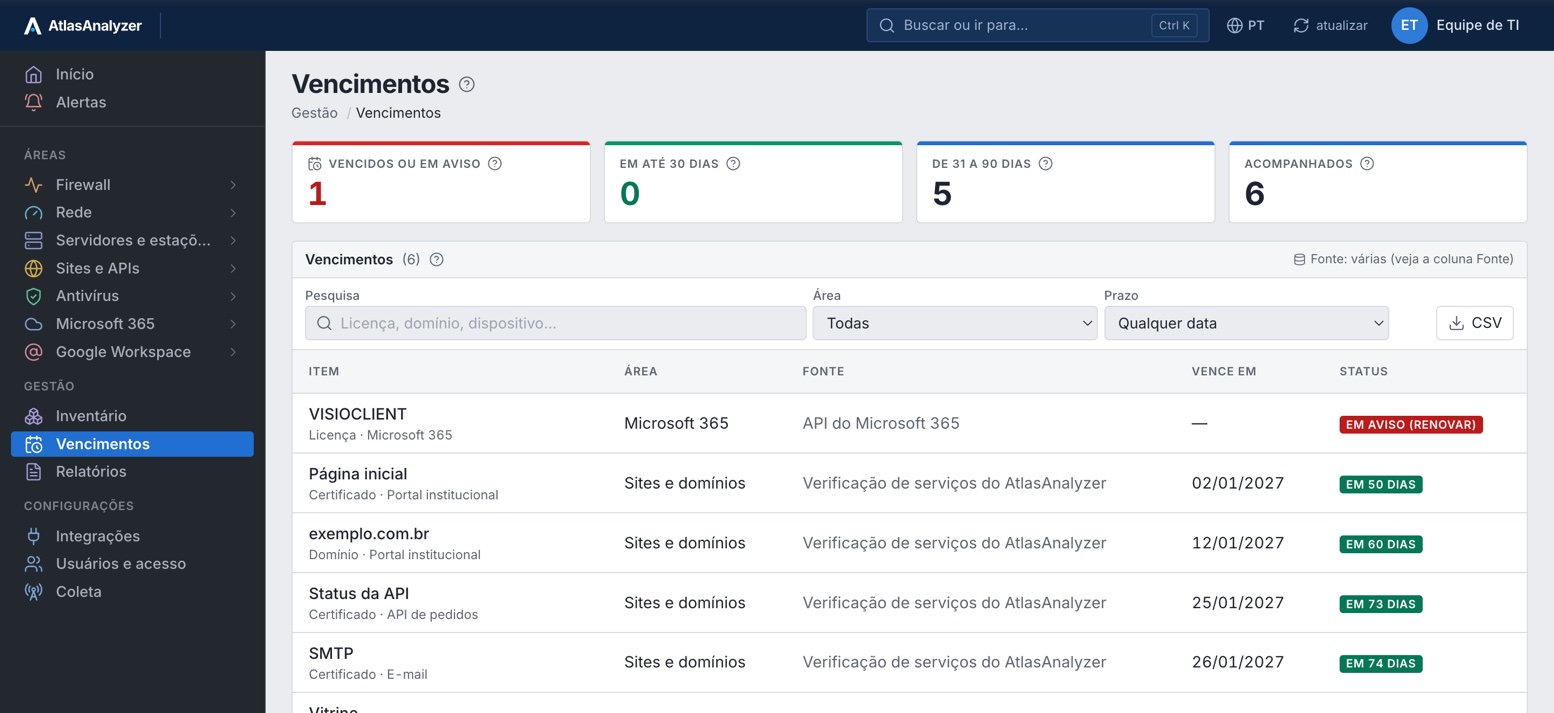
Network, machines, antivirus and Microsoft 365 matched by name, with what's unprotected.
Licenses, certificates and domains from the first expiry to the last.
The monthly executive report or one built block by block, scheduled by email.
Every file carries a code: recipients can check it hasn't been altered.
Inventory
Network devices, servers and workstations, antivirus machines and Microsoft 365 devices in one list, with each item's source.
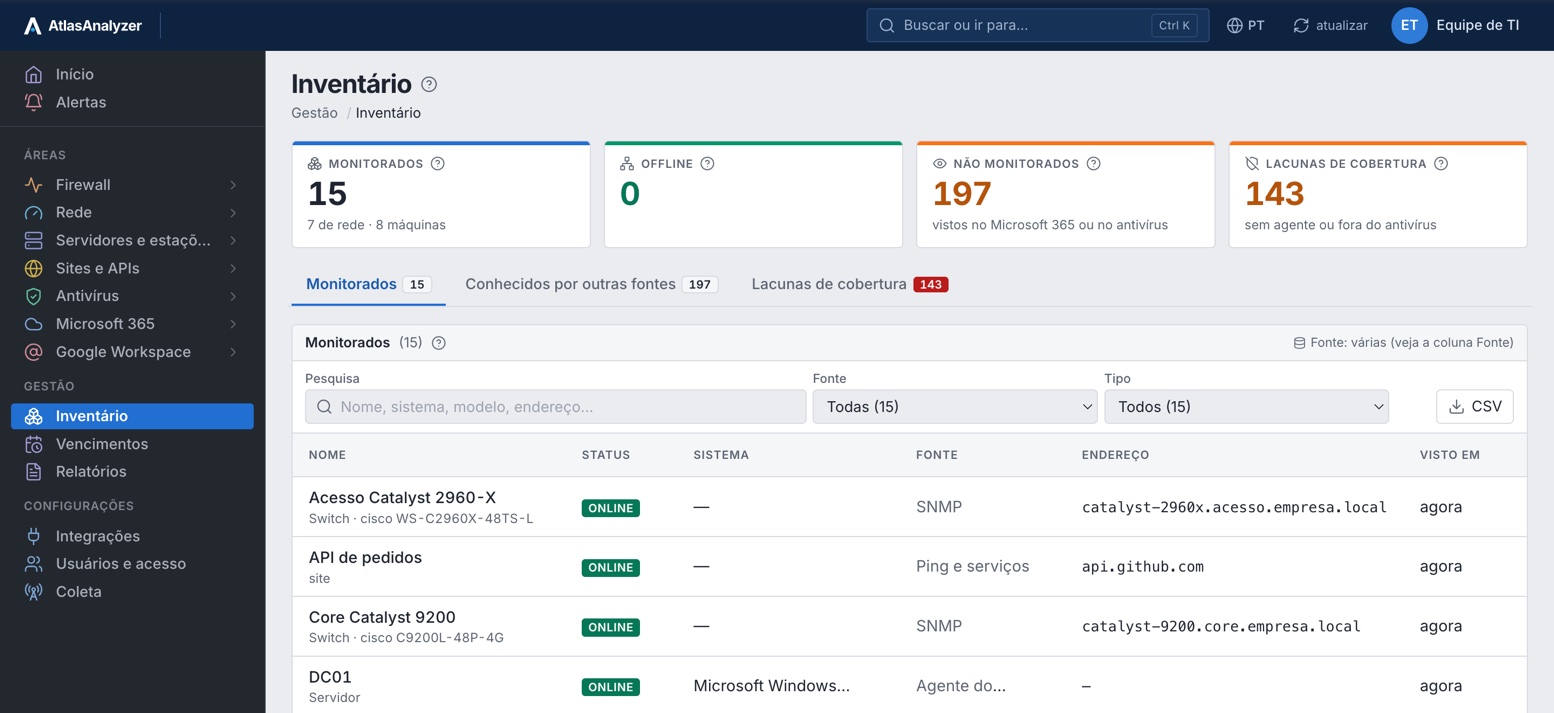
Coverage gaps
By crossing sources, AtlasAnalyzer shows what Microsoft 365 or the antivirus knows about that isn't yet protected or monitored.
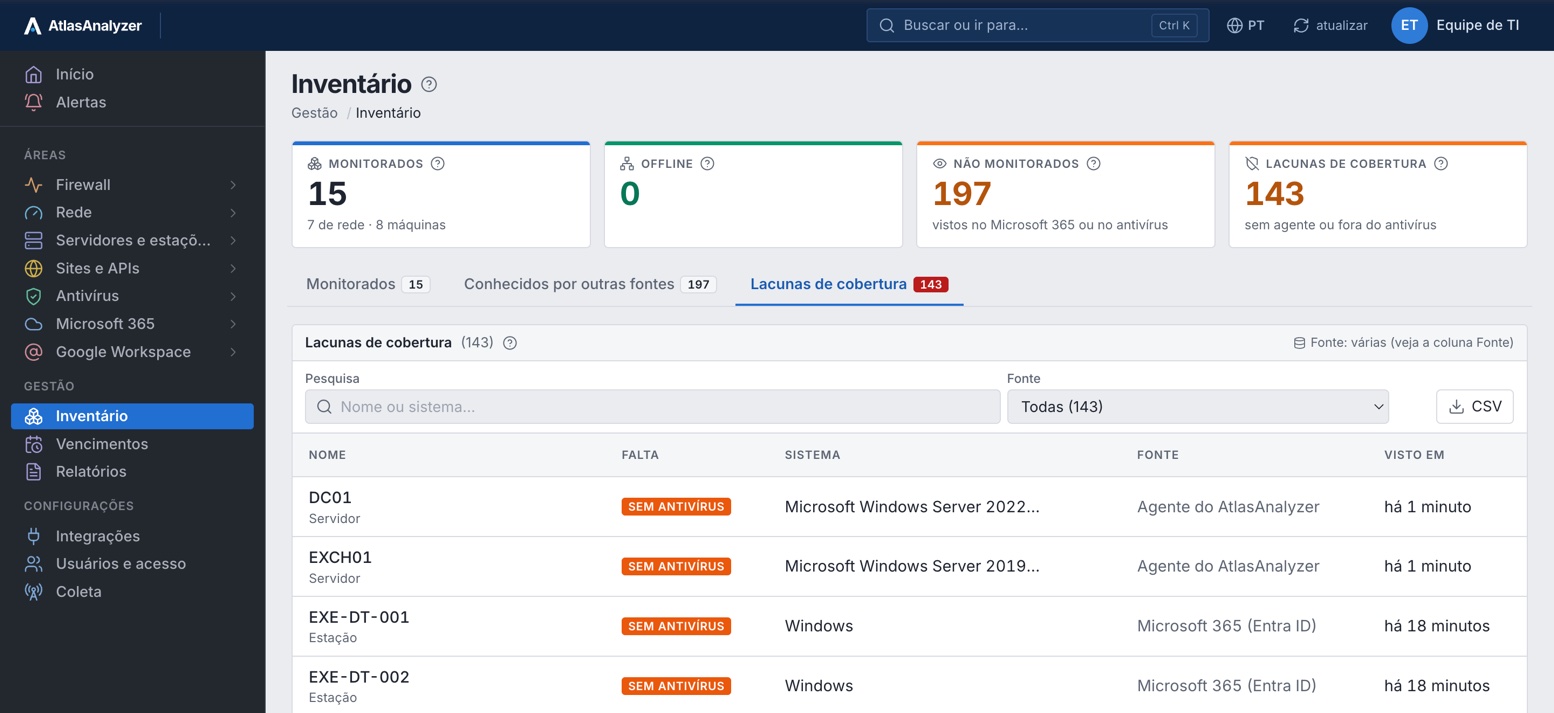
Reports
Templates per area and the environment executive report; choose the period and blocks, download the PDF or schedule delivery.
Users and access
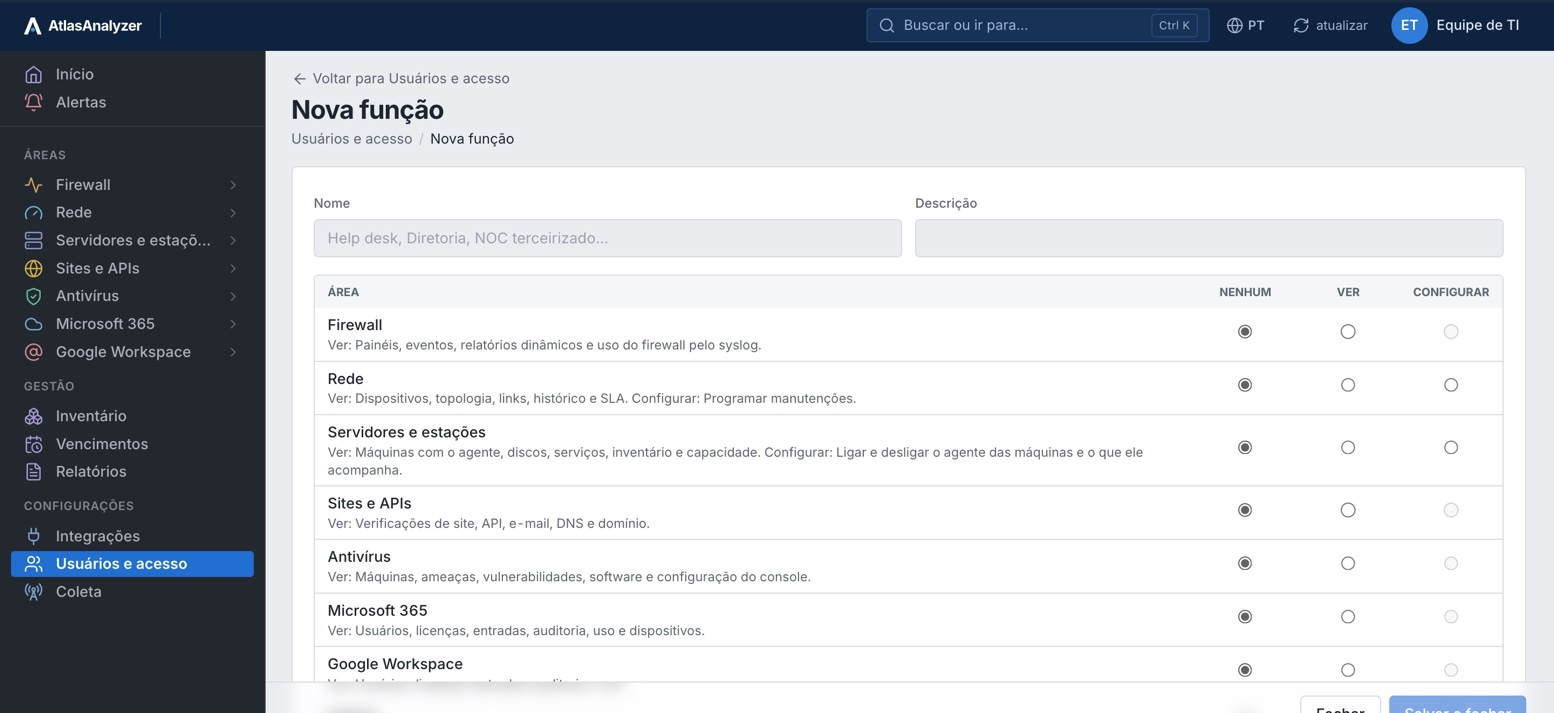
Roles with access per area: none, view or configure. Administrator, Operator and Read-only come ready.
Integrations
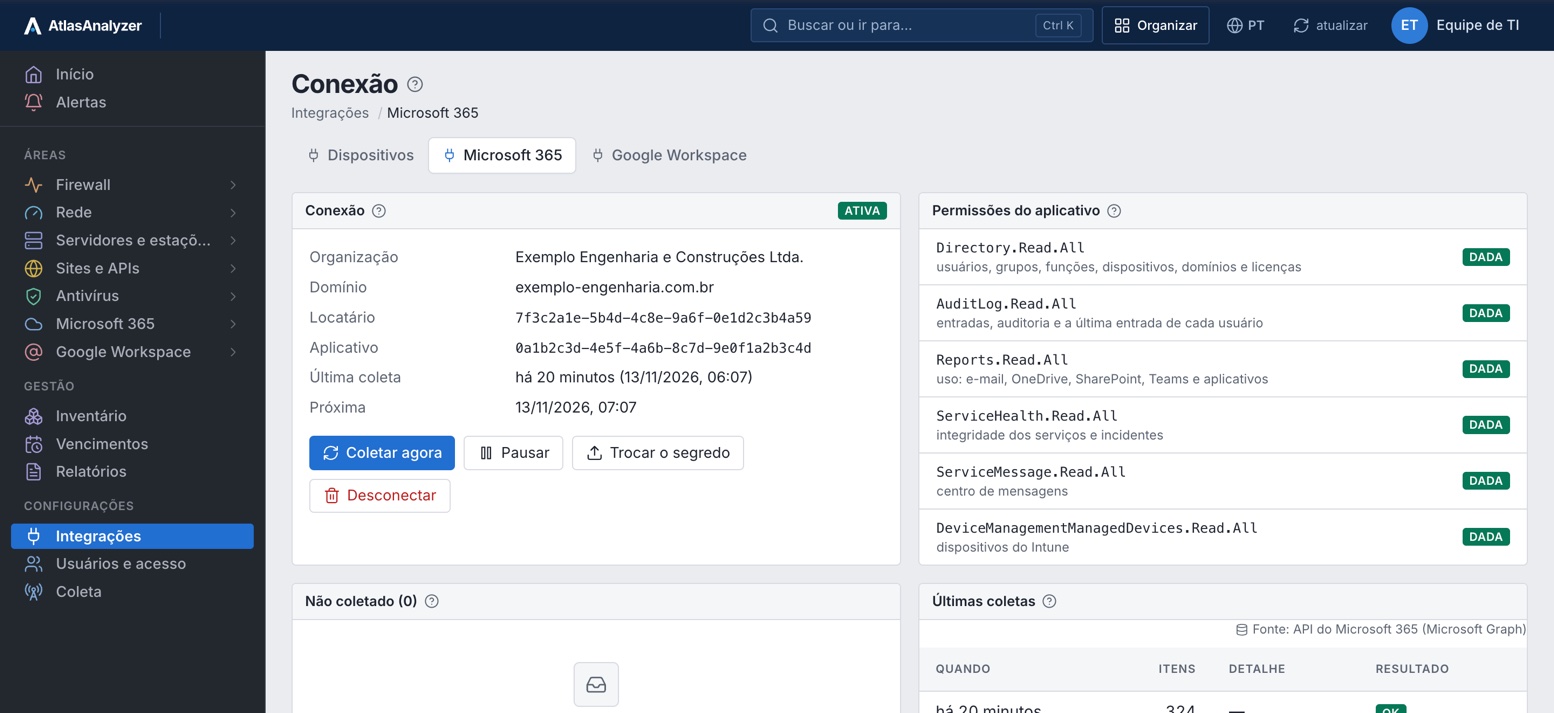
The connection, granted permissions, what wasn't collected and recent collections, with no made-up numbers.
See Management with your own environment's data
What ties the areas together: inventory, expirations, reports, audit evidence and each person's access, in 20 features.
Network devices, servers and workstations, antivirus machines and Microsoft 365 devices in one list, matched by name.
Machines without antivirus and without the AtlasAnalyzer agent, straight from the inventory.
Each item shows where it came from: SNMP, agent, antivirus console or Microsoft 365 API.
Firewall licenses, certificates, domains and Microsoft 365 licenses, from the first to the last expiration.
Licenses, certificates and domains open an alert in advance, on your team's channel.
Firewall, network, websites and APIs, servers, antivirus, Microsoft 365, Google Workspace and management, ready to use.
The month across all areas in a single PDF, for the board meeting.
Pick the period and each area's blocks and build the report your way.
A list or summary of the firewall log, with filters and groupings, as a table, bars, lines or pie.
Each report exported on demand, in the format the customer asks for.
Daily, weekly or monthly by email, in the recipient's language and time zone.
Every file carries who generated it, when, and a code: the recipient can confirm it came from AtlasAnalyzer unaltered.
Templates with what ISO 27001, PCI DSS and LGPD usually require: access, changes, protection and availability.
Who invited, changed the role of or removed each person's access, and when.
The company's people sign in to AtlasAnalyzer with the role you give them: Administrator, Operator, Read-only or a custom one.
Each area can be no access, view only or configure, by role and by group.
The customer can require two-step verification for everyone.
Portuguese, English, Spanish and German, per person, on screen, in notifications and in reports.
What each source delivered, what was not collected and the latest collections, with no made-up numbers.
Every credential is encrypted, never shown on screen or in logs, and read-only.
Management brings together what the other areas collect: nothing extra to install.
Network, agent, antivirus, Microsoft 365, Google Workspace and sites.
Items from every source matched by name, with their expiries.
A template or your own blocks, to download or receive by email.
Invite people with each one's role and areas.
Ready to use; each one can become your own, with the blocks you choose.
Environment executive report
Monthly report, daily summary, bandwidth and apps, web usage, misuse, cloud apps (Shadow IT), one person's report, VPN, console and system events, health and availability, what's new and threats by the numbers
Network availability; internet links and SLA
Sites and APIs availability
Servers and workstations
Machine protection
Microsoft 365: licenses and users, activity audit and offboarding of one person. Google Workspace: licenses, users and devices
Inventory and expirations
Audit evidence (ISO 27001, PCI DSS and LGPD); administrative access
Each file carries who generated it, when and a code; under Reports › Verify a file, AtlasAnalyzer checks it hasn't been altered.
Yes. Create a role with access per area (none, view or configure) and assign it to whoever needs it.
In the recipient's language and time zone: Portuguese, English, Spanish or German.
By machine name; each item shows where it came from.
In AtlasAnalyzer Monitor and in Analytics; firewall, antivirus and Microsoft 365 reports come with Analytics.
In a 30-minute demo, our team shows you AtlasAnalyzer with sample data from the sources you use.
