Know before your customer does
A site, API, email or DNS going offline becomes an alert in your team's channel.
Products Websites and APIs
Know before your customer when the website, API, email or DNS stops, and when the certificate or domain is about to expire.
30-minute demo · No per-device pricing
A site, API, email or DNS going offline becomes an alert in your team's channel.
DNS, connection, TLS, server wait and download, so you know where the delay is.
Certificates and domains with an alert before they expire.
Availability and SLA of every check in the monthly report, as PDF or Excel.
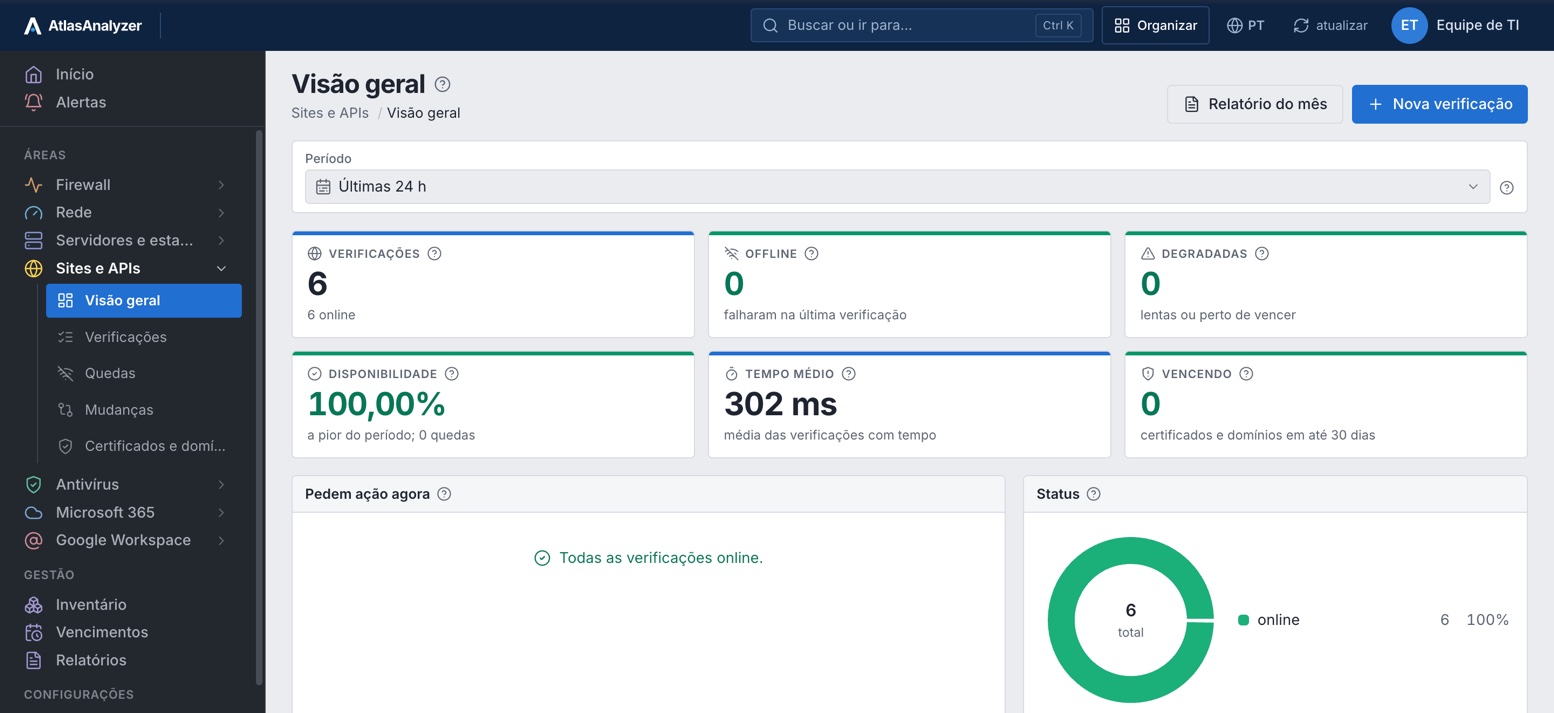
Checks
Sites, APIs, mail servers, DNS and domains in one list, with status, availability, average time and the period's outages.
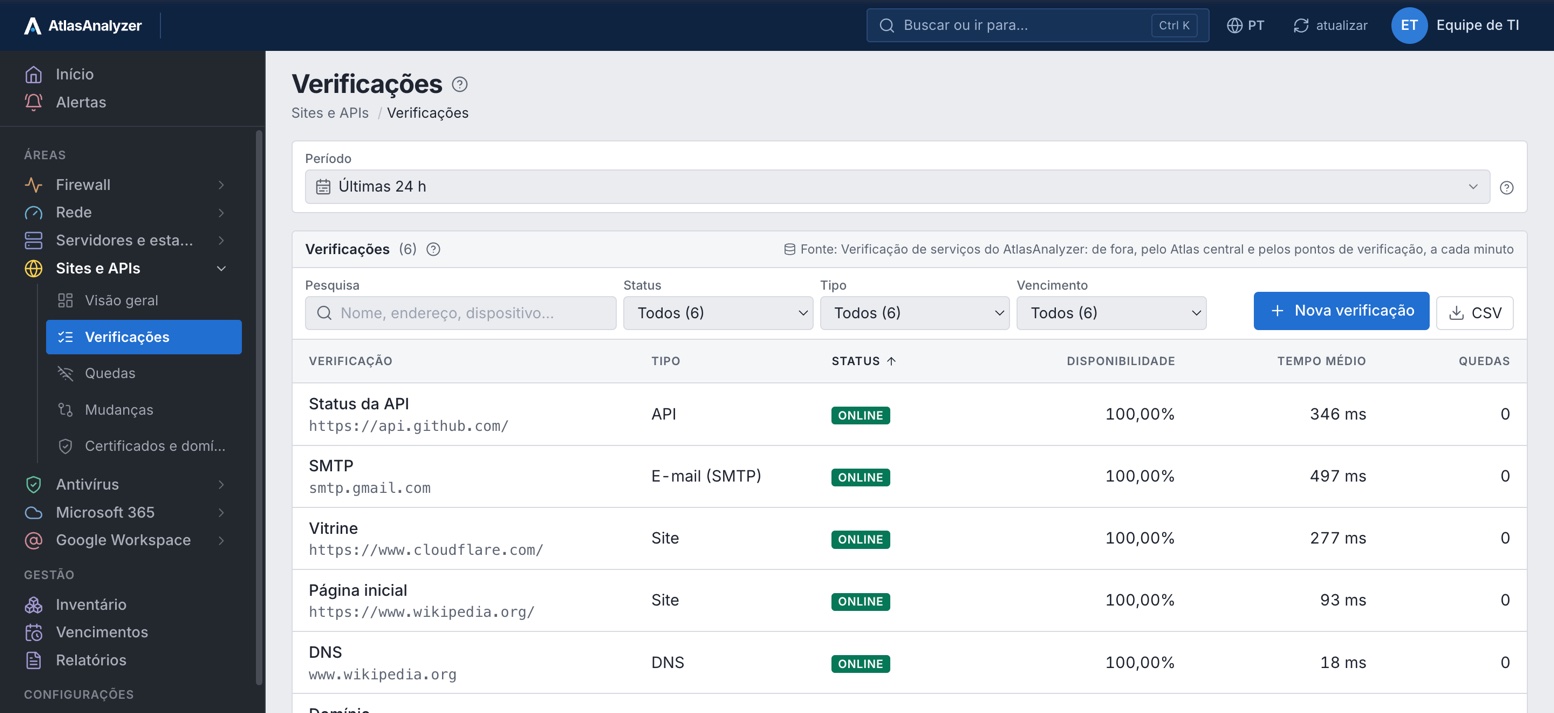
One check
The period summary with outages, average time with p50, p95 and p99, the monthly SLA against target and the certificate days left.
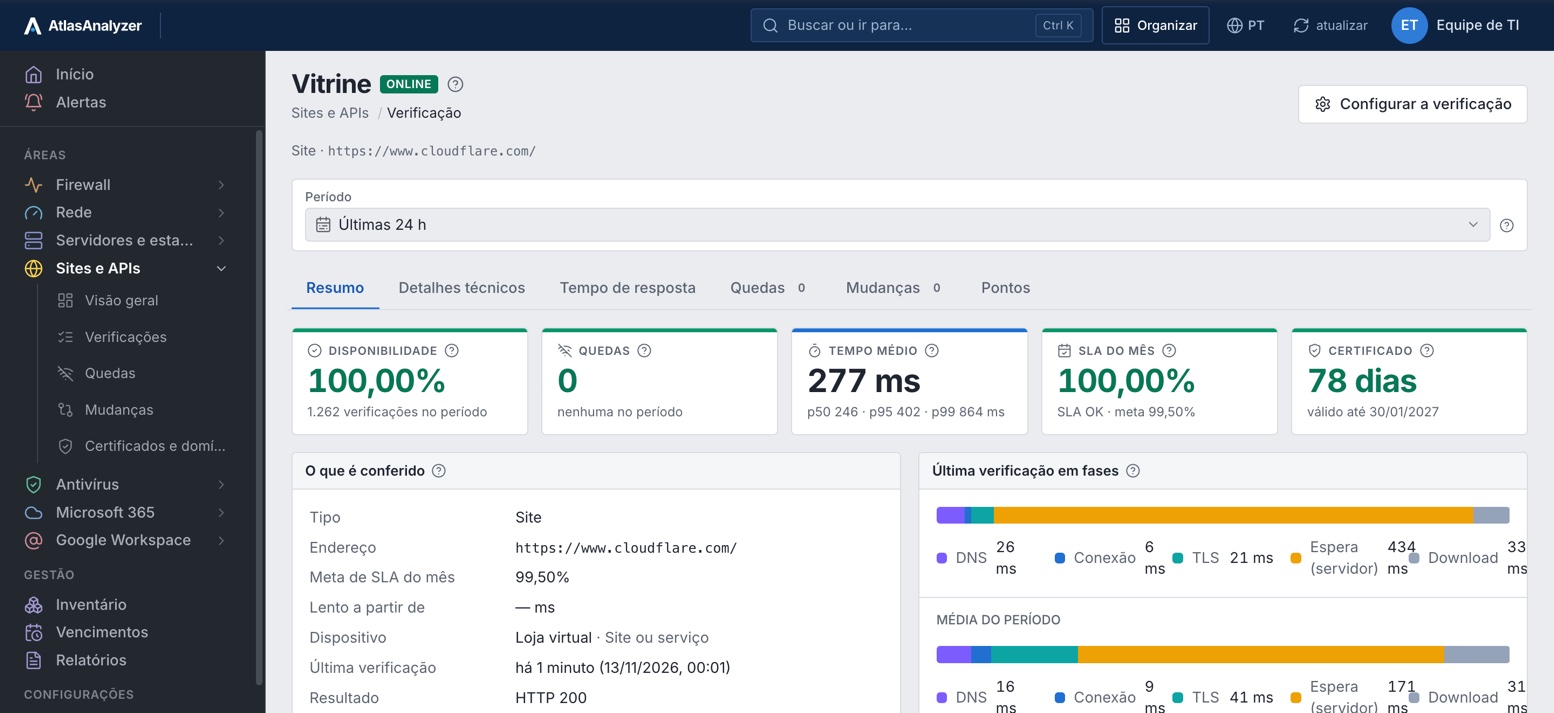
Response time
The period's response time and each phase separately: DNS, connection, TLS, server wait and download.
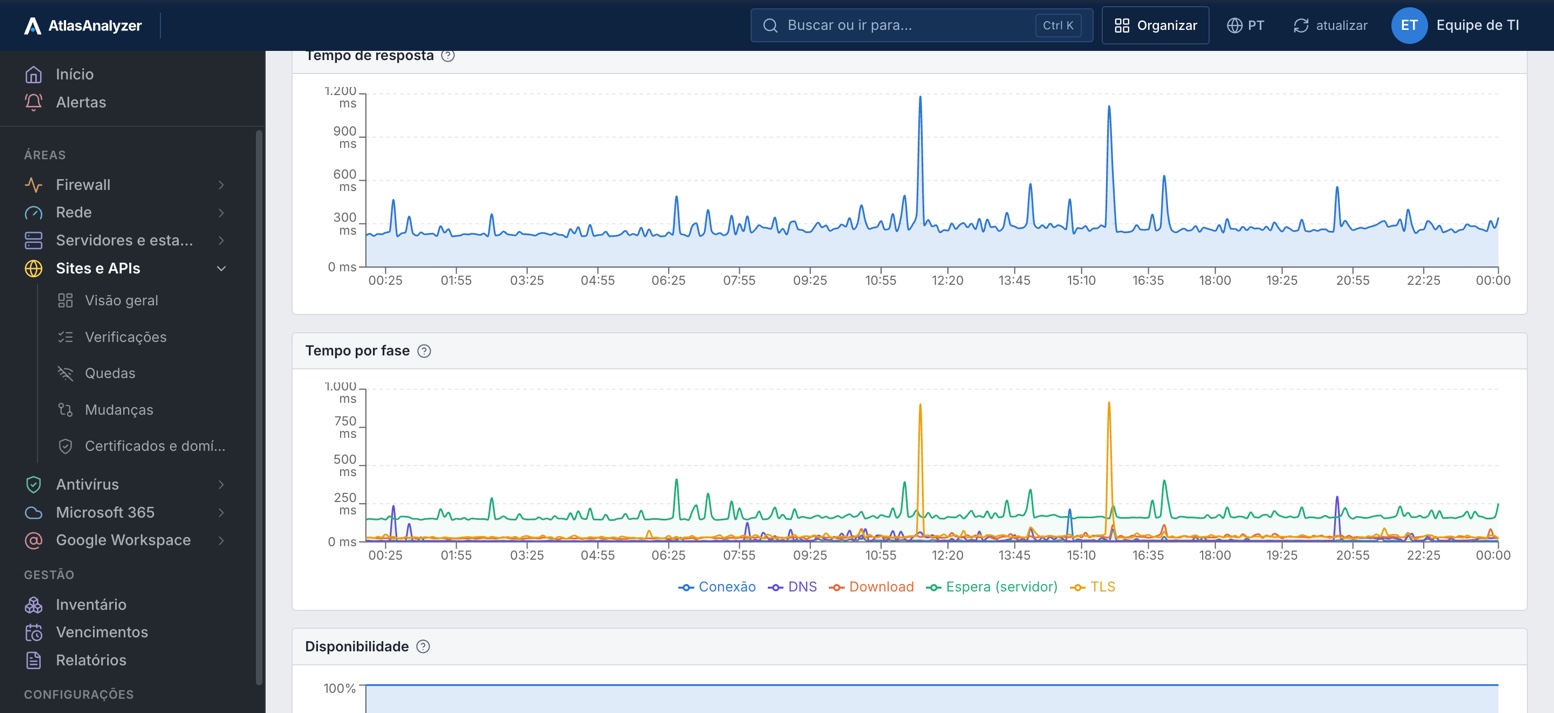
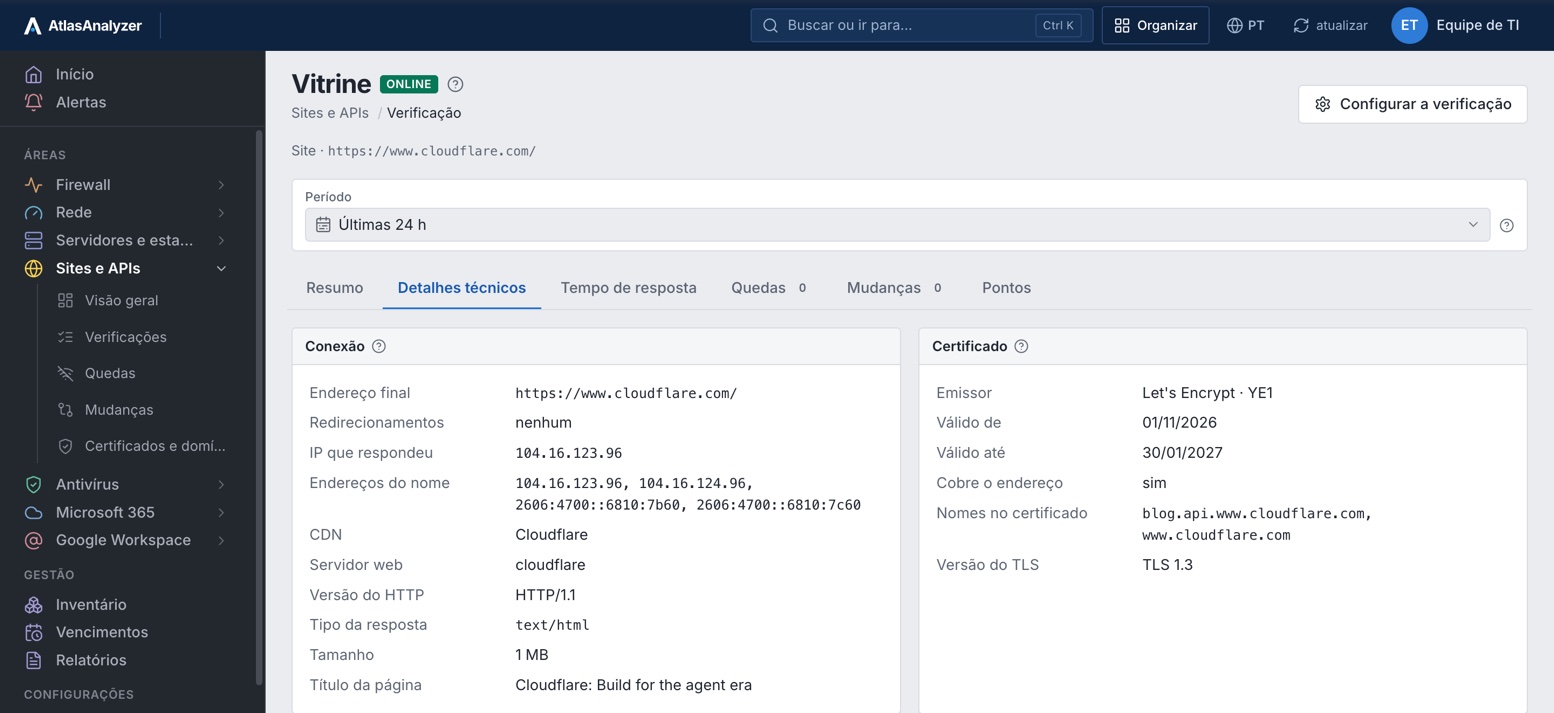
Technical details
The final address, redirects, the responding IP, CDN, server, HTTP version and the certificate with the TLS version.
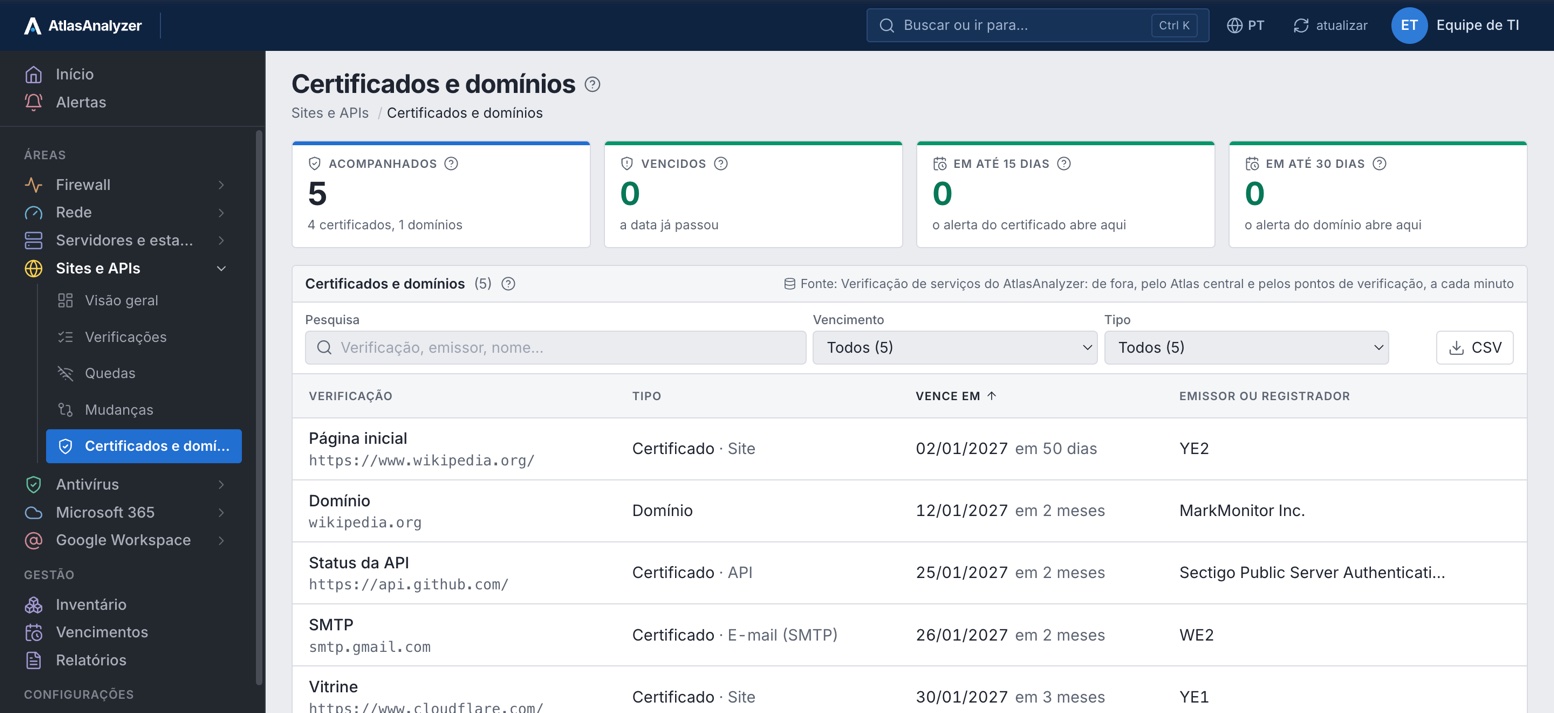
Certificates and domains
Certificates for sites, APIs and email and domain registrations, with their expiry dates and who issued or registered them.
See Websites and APIs with your own environment's data
Everything AtlasAnalyzer checks from outside, every minute, on the customer's websites, APIs, email, DNS and domains, in 22 features.
The response code, the expected text and forbidden text on the page, every minute.
GET on a public endpoint, with up to 10 conditions on the JSON (JSONPath) or XML (XPath) response.
Opens the connection, checks the server's handshake and closes it, without sending data.
SMTP, IMAP and POP: the greeting and the certificate (STARTTLS or direct TLS), without logging in.
The name resolves to the expected address, with A, AAAA, CNAME, MX and NS records and their TTL.
When the domain registration expires, via RDAP, with the registrar, name servers and status.
The issuer, validity, the names covered and the TLS version, with an alert before it expires.
Websites, APIs and WebSockets also checked over IPv6 when the name has an AAAA record.
DNS, connection, TLS, server wait and download, to see where the slowness is.
Average, p50, p95 and p99 time for each check in the period.
An alert when it exceeds the set maximum time and when it strays from what is normal for that time of day.
Final URL, redirects, responding IP, CDN, server, HTTP version and page size.
Minute-by-minute availability and SLA OK or breached against each check's target.
When each service was offline, how long it lasted and the error of the first failure.
The same check run from more than one place: a service goes offline only when all of them fail.
What changed: IP, CDN, server, certificate issuer, DNS records and domain data.
Windows in which an outage does not count against availability or trigger an alert.
Offline, slow, certificate and domain expiring, on your team's channel.
Availability and SLA for each check and location, with maintenance shown separately, in PDF or Excel.
All expirations in one list, with the issuer or registrar and what they cover.
AtlasAnalyzer's outbound IPs and User-Agent, so your WAF or CDN does not block the checks.
Read-only, without logging in or sending data: the same as a visitor would do.
Just like a user would: read-only, with no login and no data sent.
The address, the type and what the response must contain.
Every minute, from AtlasAnalyzer and from checkpoints outside Strema.
The outbound IPs and User-Agent are shown on screen, so your WAF or CDN won't block them.
The screens, alerts in your team's channel and the monthly availability report.
Public addresses only; the internal network is covered by the probe, in the Network area.
The response code, expected and forbidden text, time by phase and the certificate
Offline, slow, abnormal and certificate expiring
GET on a public endpoint, with up to 10 conditions on the JSON or XML
Offline, slow and abnormal
Opens the connection, checks the server's acceptance and closes
Offline
The greeting and the certificate, via STARTTLS or direct TLS, without logging in
Offline and certificate expiring
The name resolves as expected: A, AAAA, CNAME, MX, NS and TTL
Offline
Registration expiry, registrar, name servers and status
Domain expiring
Site, API and WebSocket also over IPv6, when the name has an AAAA record
Degraded, without failing the check
No. It only reads, like a visitor: GET on the site and API, the greeting on email and the DNS lookup.
From AtlasAnalyzer and from checkpoints outside Strema; a service only goes offline when all of them fail.
Not here: the internal network is covered by the probe, which runs ping and port checks inside the customer's network.
Allow AtlasAnalyzer's outbound IPs and User-Agent, which are shown on screen.
In AtlasAnalyzer Monitor and in Analytics.
In a 30-minute demo, our team shows you AtlasAnalyzer with sample data from the sources you use.
